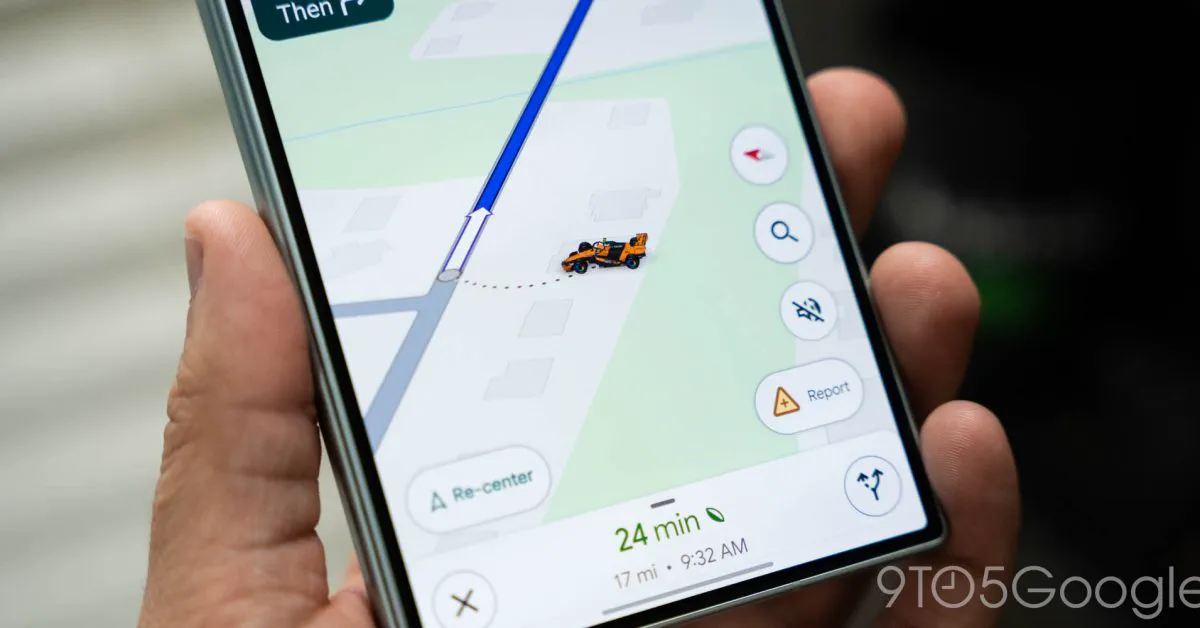
Google has rolled out an update to Google Maps that allows motorists to swap the ordinary navigation arrow for an official McLaren Formula 1 race car. Launched on October 5, 2026, the limited-time driving avatar celebrates the upcoming United States Grand Prix and gives Formula 1 fans a playful way to navigate daily commutes and road trips alike.
The update builds directly on Google's multi-year technical partnership with McLaren Racing, bringing one of the grid's fastest machines straight to phone displays and vehicle infotainment screens. While the virtual race car won't shave seconds off your commute, it adds high-octane personality to a navigation interface that has traditionally favored utilitarian geometry.
Bringing Papaya Orange to Turn-by-Turn Navigation
When turn-by-turn directions are active in Google Maps, the user's position has long been marked by a default blue chevron. The new update lets drivers replace that chevron with a detailed 3D miniature of McLaren's Formula 1 car, decked out in the team's unmistakable papaya orange and anthracite livery.
The miniature model features an authentic open-wheel silhouette, front and rear aerodynamic wings, halo cockpit protection, and subtle branding accents reminiscent of the Google Chrome-styled wheel covers seen on the actual race cars. As you drive, turn corners, and merge onto highways, the miniature vehicle mirrors your real-time heading and speed on the road map, pivoting along curves just like the real thing.
Unlike Maps' standard fleet of customizable vehicle icons, the McLaren avatar is locked to the team's official racing livery. Drivers cannot repaint it neon pink or forest green, preserving the authentic look of the McLaren challenger on your digital tarmac.
Limited-Time Perks: Dates, Livery, and Supported Platforms
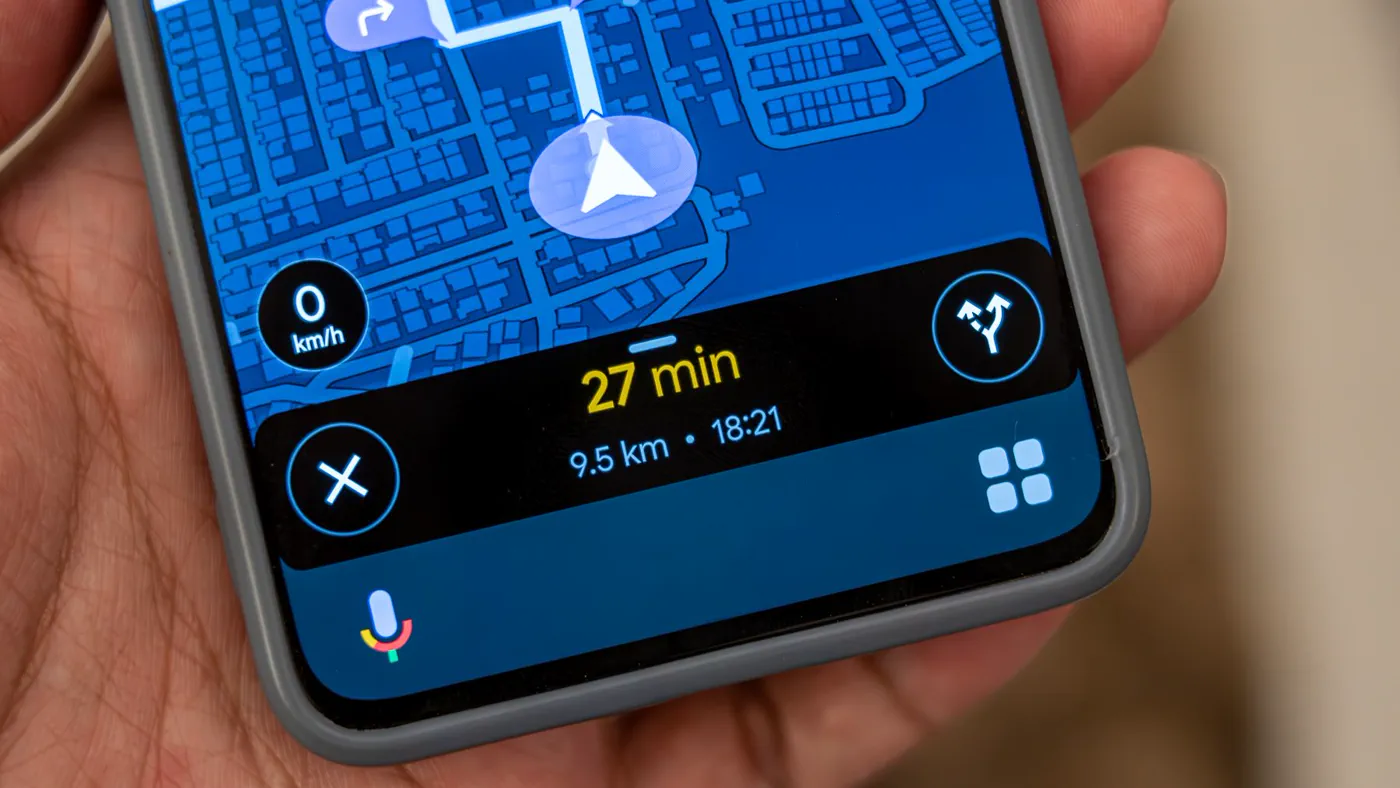 Photo: androidcentral.com (source)
Google has clarified that this racing icon is an exclusive seasonal event rather than a permanent fixture. The McLaren avatar is slated to remain accessible through November 23, 2026, giving motorsport enthusiasts roughly seven weeks to use it through the United States Grand Prix weekend and beyond.
The feature operates seamlessly across both mobile and vehicle-integrated platforms. Smartphone users on both iOS and Android can access the avatar, and the vehicle translates directly onto in-dash screens through Apple CarPlay and Android Auto.
| Feature Detail | Specification / Detail |
|---|---|
| Availability Period | October 5, 2026 through November 23, 2026 |
| Theme / Occasion | 2026 United States Grand Prix celebration |
| Vehicle Type | McLaren Racing Formula 1 open-wheel car |
| Colorways | Official McLaren Papaya Orange & Anthracite (fixed) |
| Supported Operating Systems | Android, iOS |
| In-Car Support | Android Auto, Apple CarPlay |
| Rollout Mechanism | Server-side staged release |
| Price | Free (no subscription or purchase required) |
Step-by-Step: How to Enable the McLaren F1 Avatar
Activating the McLaren car takes only a few taps. Google offers two different pathways to choose the avatar, depending on whether you are planning ahead or already en route.
Method 1: In the App Settings Before You Drive
- Open Google Maps on your iPhone or Android phone.
- Tap your Profile picture in the upper right-hand corner.
- Tap Settings, then scroll to select Your vehicles.
- Tap Driving avatar.
- Swipe through the catalog until you reach the orange McLaren F1 race car, then tap Done.
Method 2: During Active Navigation
- Input your destination and press Start to begin route guidance.
- Tap the blue navigation arrow (or your currently selected vehicle) directly on the map.
- A pop-up tray will appear displaying available avatars.
- Scroll horizontally, select the McLaren F1 icon, and tap Done.
Method 3: From Your Vehicle's Dashboard
Following recent platform updates to Android Auto and CarPlay, users no longer need to fiddle with their handheld smartphones to switch icons. When Google Maps is running on your car's touchscreen console, tap the Settings gear icon on the map interface, select Driving Avatar, and pick the McLaren model directly from the console.
Google and McLaren: Inside the High-Speed Partnership
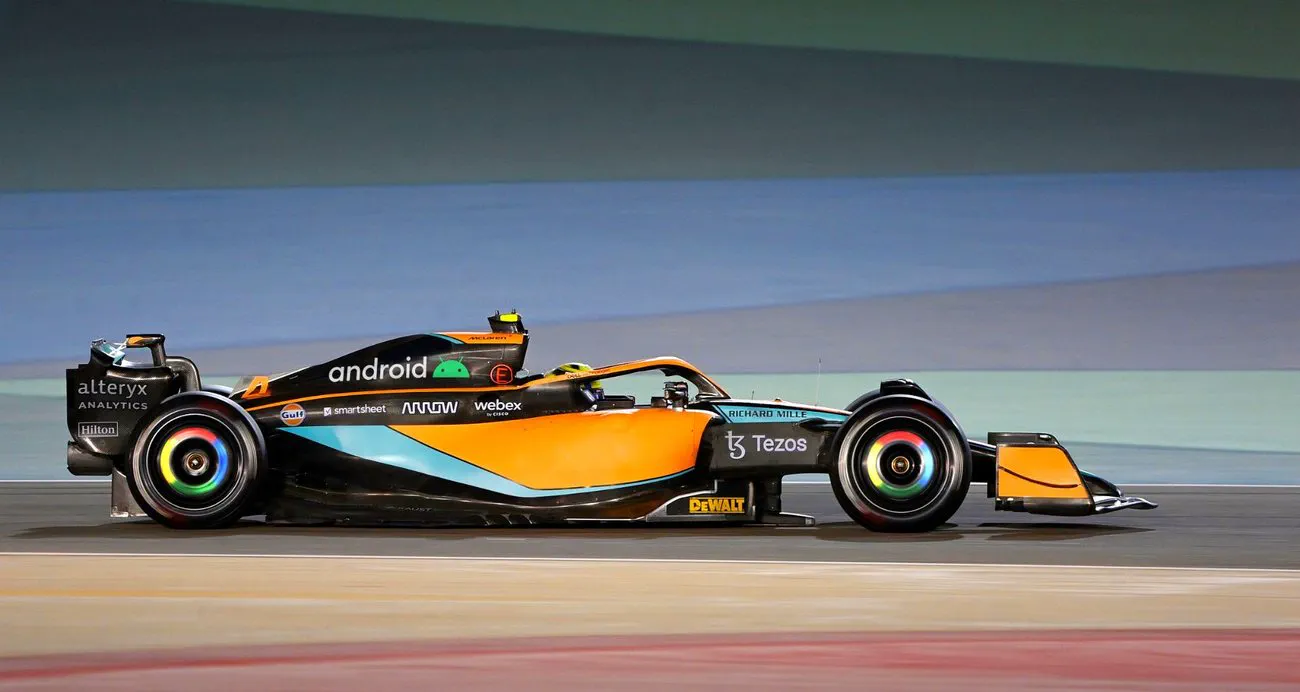 Photo: blog.google (source)
This promotional integration is the latest chapter in a deep-rooted corporate relationship between Google and the McLaren Formula 1 Team. Since formalizing their official multi-year partnership in 2022, Google's branding has been heavily embedded across McLaren’s physical race operations.
F1 fans will recognize Google's fingerprint on race days: the Chrome browser logo prominently decorates the four-spoke wheel covers of the race cars, and Android branding adorns the engine airboxes and headrests. Behind the scenes, McLaren engineers and pit crew members utilize enterprise Android hardware, Pixel handsets, and Google Cloud infrastructure to handle high-frequency telemetry data, track pit-stop analytics, and streamline tactical decision-making across race weekends.
Previous consumer-facing activations have included high-resolution Google Street View walkthroughs inside the restricted McLaren Technology Centre (MTC) in Woking, England, and bespoke Pixel camera features. Placing an interactive McLaren car directly into the consumer Maps app brings that trackside presence to everyday commuters.
How Maps Compares to Waze and Apple Maps Customization
Visual customization of navigation symbols has evolved into a popular engagement tool across mapping software, though competitors take markedly different paths.
- Waze: Owned by Google, Waze has long been the pioneer of novelty navigation elements. Waze regularly introduces promotional cars, tie-ins with film franchises, and custom voice prompts from celebrities. However, Waze caters heavily to a gamified crowd with mood badges and social road-reporting avatars.
- Apple Maps: Apple continues to take a strictly minimalist approach. In Apple Maps, users remain fixed with a streamlined directional arrow, with zero current vehicle customization options or commercial brand tie-ins.
- Google Maps: Google occupies the middle ground. After debuting simple passenger sedans, pickup trucks, and yellow wagons as novelty icons in 2020, Google expanded the system in 2024 and 2025 to include customizable 3D models with eight selectable paint finishes. The McLaren partnership represents Google Maps' highest-profile branded vehicle crossover to date.
Rollout Quirks and Community Reception
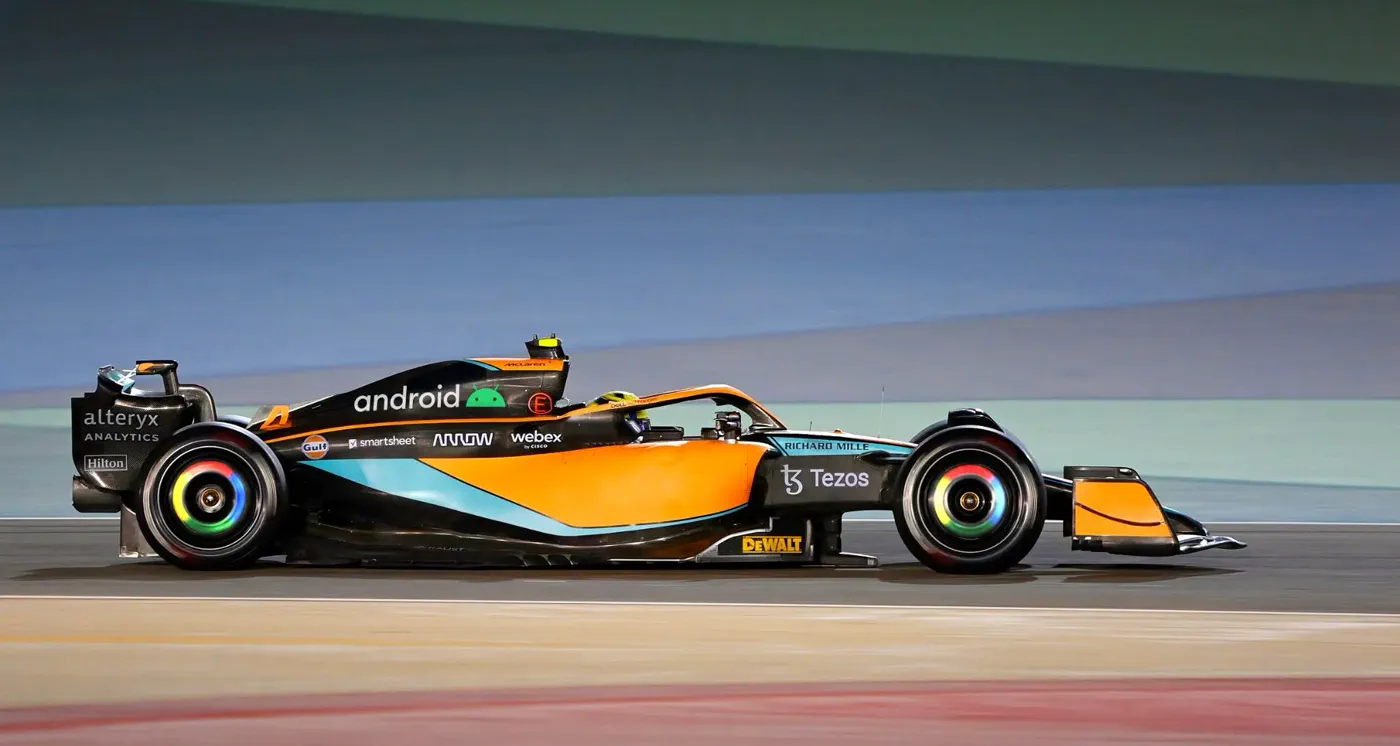 Photo: blog.google (source)
As with most Google Maps feature releases, the McLaren F1 avatar is rolling out on a server-side schedule. This means that simply having the latest version of the app from Google Play or the Apple App Store does not guarantee the avatar will show up immediately on your account.
Early reports from tech testers and community forums indicate that some devices receive the option instantly, while other handsets on identical software versions may take a few days to see the server toggle flip. Several users noted having the option available on their secondary phones while their primary devices waited for the update to register. If the McLaren car does not appear in your vehicle settings tray, force-closing the app, restarting your phone, or simply waiting 24 to 48 hours for Google’s staged servers to propagate the change is the recommended course of action.
Initial community reaction across Reddit, X, and automotive forums has been broadly positive, especially among Formula 1 fans gearing up for the Americas leg of the racing season. The main criticism stems from the temporary nature of the update, with many users asking why digital avatars cannot remain in their accounts indefinitely.
What Happens After November 23?
Google has specified that the McLaren F1 avatar is scheduled to disappear after November 23, 2026. Based on previous temporary Google Maps promotional events—such as anniversary tie-ins and seasonal holiday easter eggs—users whose apps are still set to the McLaren car on that date will automatically revert to the classic blue chevron or their previously chosen default vehicle.
Unanswered questions remain regarding whether Google plans to license additional motorsport tie-ins, such as Arrow McLaren IndyCar liveries or custom avatars for other sporting partnerships. For now, the feature serves as a fun, visually crisp promotional homage to championship motor racing that injects some lighthearted paddock style into your daily drive.
Frequently Asked Questions
How do I get the McLaren F1 car on Google Maps?
Open Google Maps, tap your profile icon, go to Settings > Your vehicles > Driving avatar, and choose the orange McLaren F1 car. Alternatively, start navigating and tap the blue navigation arrow on the map to choose the McLaren car from the vehicle menu.
Is the McLaren F1 icon available permanently?
No, Google has stated that the McLaren avatar is a limited-time feature celebrating the United States Grand Prix and will only be available through November 23, 2026. After that date, the app will revert to standard navigation icons.
Does the McLaren F1 avatar work on Apple CarPlay and Android Auto?
Yes, the avatar displays on both Apple CarPlay and Android Auto screens. You can select it on your phone or toggle it directly via the in-dash settings menu on compatible vehicle infotainment displays.
Can I change the color of the McLaren F1 car?
No, unlike the standard Google Maps cars, trucks, and SUVs that feature multiple paint options, the McLaren F1 car is locked to the official McLaren Racing papaya orange and anthracite livery.
Why don't I see the McLaren car in my Google Maps app yet?
The update is distributed via a staged server-side rollout. Ensure your Google Maps app is updated to the latest version in the App Store or Google Play Store, and check back over the next couple of days if the server update has not reached your device yet.