Apple is rolling out a long-awaited structural overhaul to Apple Podcasts in the iOS 27.2 beta, directly addressing user frustration with its cluttered playback queue. By splitting the monolithic Up Next strip into separate "New Episodes" and "Continue Playing" rows, the update delivers a cleaner, more logical listening experience for iPhone users worldwide.
For podcast enthusiasts, the native iOS client has offered impressive media capabilities—such as synchronized audio transcripts and automated chapter generation—while simultaneously frustrating everyday listeners with its confusing entry screen. With iOS 27.2 currently working through developer and public beta builds, Apple is finally giving its podcast hub the workflow refinement power users have spent years requesting.
An Overdue Overhaul: What Apple Podcasts Changes in iOS 27.2
The central change in iOS 27.2 targets the topmost area of the Apple Podcasts Home tab. Historically, this area housed "Up Next"—a single horizontal carousel that attempted to perform two contradictory jobs at once: surfacing unplayed new releases from followed shows, and saving the spot of episodes you were halfway through.
In iOS 27.2, Apple dismantles that combined carousel. When opening the app for the first time on the updated operating system, users are greeted by a "What's New" splash screen summarizing the split:
- New Episodes Replaces Up Next: The top shelf of the Home tab is now titled "New Episodes," strictly reserved for the newest drops from shows you actively follow.
- A Dedicated Continue Playing Shelf: Positioned immediately underneath New Episodes, a new row called "Continue Playing" gathers every episode you have started but have not yet finished.
- Artwork-Matched Palette Styling: Show directory pages and episode lists dynamically pull their color theme from the show's cover art, creating a continuous chromatic layout similar to Apple Music.
Watch: iOS 27.2 Beta 1 Released - What's New?

Video: Brandon Butch on YouTube
Splitting the Queue: How New Episodes and Continue Playing Work
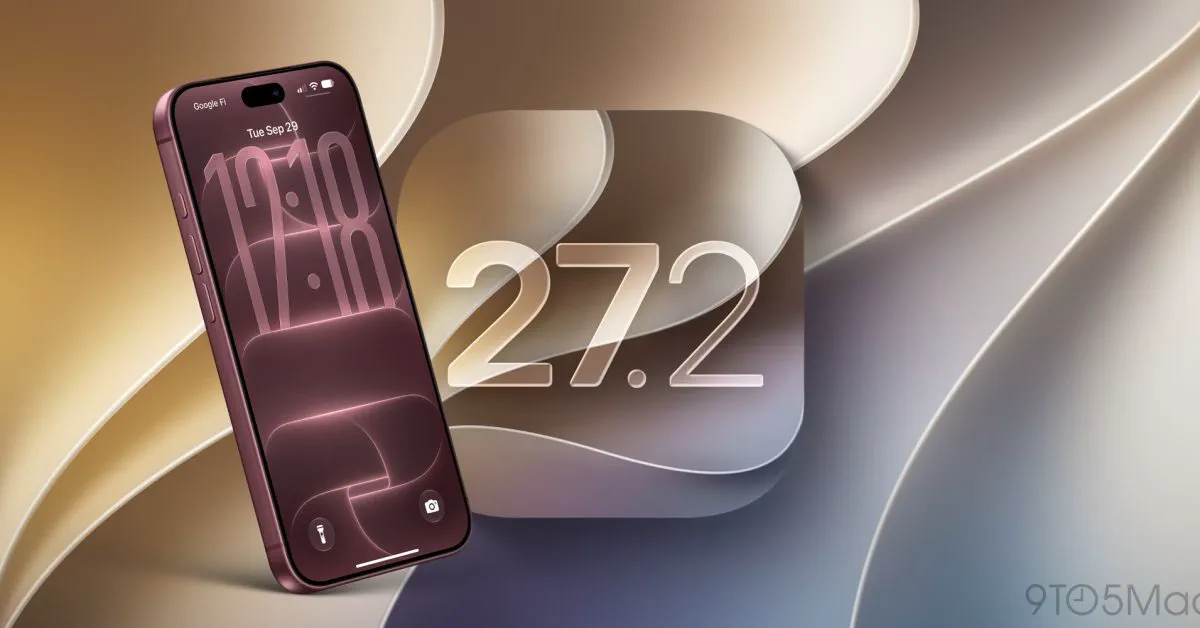 Photo: 9to5mac.com (source)
The previous Up Next implementation suffered from a fundamental identity crisis. If you listened to thirty minutes of a two-hour interview, paused, and came back the next morning, that half-finished episode could be buried behind several newly dropped daily news summaries. Conversely, trying to scan for what had arrived overnight was cluttered by partially listened tracks from days or weeks ago.
The two-tiered organization in iOS 27.2 resolves that tension through explicit separation:
- New Episodes: Functions cleanly as a chronological feed of incoming content from your followed shows. It does not get bogged down by older episodes you paused partway through.
- Continue Playing: Acts as an automated resume shelf. Any time you start an episode—whether it is a subscribed daily program or a one-off recommendation from an unfamiliar feed—it immediately pins to Continue Playing until playback is finished or manually cleared.
By physically decoupling incoming episodes from your active listening state, users no longer need to dig through their library or search tab just to resume an interrupted show.
Visual Polish: Dynamic Artwork Colors and Design Tweaks
Beyond functional sorting, iOS 27.2 introduces subtle visual improvements that align Apple Podcasts with Apple's modern media applications. Individual episode listings and show header cards now dynamically adapt their background tinting based on primary color accents extracted from podcast cover artwork. This replaces the stark, monochrome background previously used across standard show listings.
The player UI also tidies up spacing around the MiniPlayer and the expanded Now Playing sheet, keeping playback scrubbers, sleep timers, and AirPlay controls intuitive while letting episode-specific branding take center stage.
The Backstory: Why Apple Podcasts' Up Next Queue Felt Broken for Years
 Photo: 9to5mac.com (source)
Apple Podcasts' queue handling has generated recurring complaints from critics and everyday listeners. While Apple routinely rolled out headline additions—such as synchronized text transcripts in iOS 17.4 and web browser playback at podcasts.apple.com—the app's basic navigation retained several longstanding pain points:
- Low Information Density: The horizontal carousel format allowed listeners to see only one or two episodes on-screen without swiping, making scanning a high-friction process.
- Vanishing Mid-Listen Episodes: When users paused an episode and stepped away, newly arrived episodes from followed shows frequently pushed that in-progress media off the primary view.
- Hidden Backlog Issues: If a listener missed several episodes of a recurring show, Up Next only displayed the single newest release, providing no visual indication that earlier backlog episodes remained unplayed.
- One-Off Listening Friction: Sampling a single episode recommended by a friend often caused future releases from that unfollowed show to hijack the Up Next feed, creating unwanted clutter.
These organizational snags pushed many users toward third-party alternatives, even when Apple's transcription tools and audio processing held a technical edge.
Side-by-Side: Apple Podcasts in iOS 27.2 vs. Previous Versions and Competitors
To understand where Apple Podcasts stands after iOS 27.2, consider how the refreshed client stacks up against earlier iOS releases and third-party competitors like Spotify and Pocket Casts:
| Feature / Attribute | Apple Podcasts (iOS 27.0 & Older) | Apple Podcasts (iOS 27.2) | Spotify | Pocket Casts |
|---|---|---|---|---|
| Home Queue Structure | Single unified "Up Next" carousel | Split: "New Episodes" & "Continue Playing" | Feed-based with separate "Your Episodes" | Custom Smart Playlists & Up Next queue |
| Resume Hub | Mixed together with new releases | Dedicated Continue Playing shelf | Pinned Continue Listening shelf | Persistent manual/smart playback queue |
| Page Background Styling | Standard neutral/system dark theme | Color-matched dynamic show artwork palettes | Dark theme with static show branding | Fully customizable UI themes |
| Transcript Integration | Native interactive transcripts | Native interactive transcripts | Auto-generated rolling transcripts | Limited / show-dependent |
| Backlog Discovery | Surfaces only the latest single release | Clearly segmented new releases | Episode feed with release history | Configurable episode filters |
| Platform Access | Apple hardware + Web app | Apple hardware + Web app | Cross-platform (iOS, Android, Web) | Cross-platform (iOS, Android, Web) |
Wider iOS 27.2 Context: The Foldable Pipeline and Accompanying Upgrades
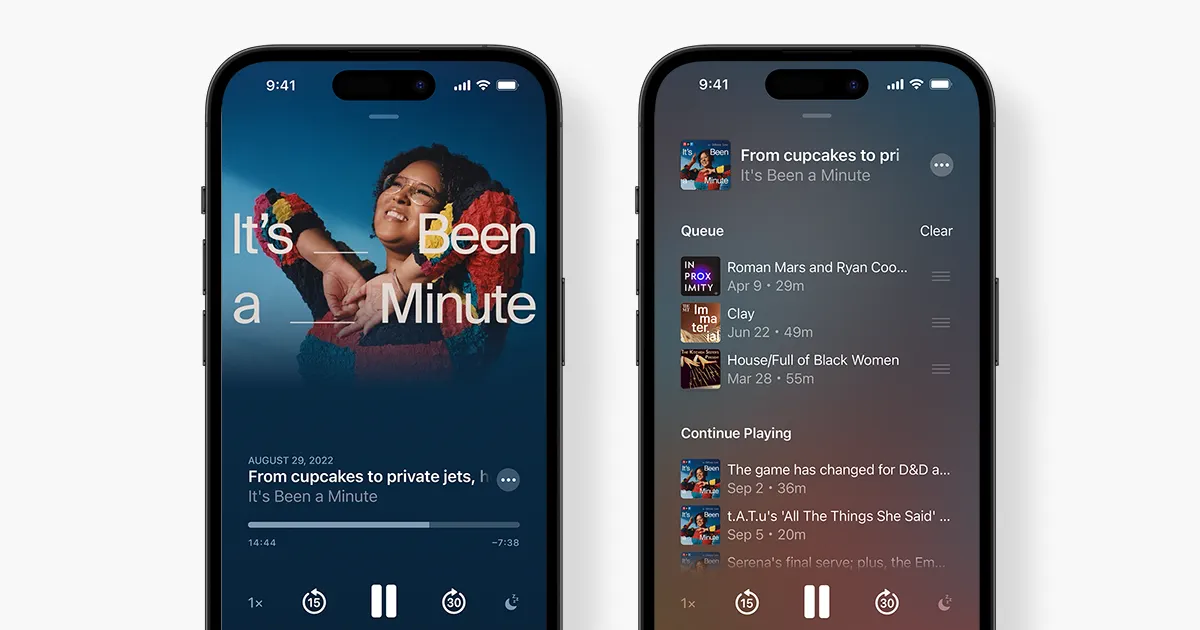 Photo: apple.com (source)
The Podcasts refresh arrives alongside several wider software enhancements in iOS 27.2. Apple bypassed an open public beta for iOS 27.1, reserving that specific build for factory installation on the foldable iPhone Duo ahead of its October 23, 2026 retail launch. As a result, public beta testers moved directly from the iOS 27.0.1 maintenance build into the 27.2 preview.
Other notable features included in iOS 27.2:
- Group FaceTime Dual Capture: Extends simultaneous front-and-rear camera recording to multi-person FaceTime video calls.
- Apple TV User Profiles: Brings multi-user support to the iPhone TV app for the first time, including age-restricted profiles with PG thresholds for child users.
- Siri AI Language Expansion: Adds Siri AI voice model support across French, Japanese, Korean, Portuguese, and Spanish.
- Call Context Anniversaries: Prompts users with anniversary reminders directly on screen when receiving calls from linked contacts.
Practical Advice for Listeners: What Changes on Day One
When iOS 27.2 reaches your iPhone, you will not have to reconfigure your podcast library, re-subscribe to your roster of shows, or recreate custom playback stations. All background subscriptions, saved downloads, and sync data tied to your Apple Account remain fully intact.
To make the most of the layout immediately after updating:
- Check the Continue Playing shelf: Any episodes you have already started will automatically populate into this section, letting you pick up precisely where you stopped.
- Triage New Episodes horizontally: Scroll through your freshly arrived daily shows without worrying about bumping your mid-listen queue out of sight.
- Prune easily: If an unfinished episode sits in Continue Playing that you do not plan to complete, swipe or use the context menu to clear it without unfollowing the host show.
What's Next: Release Timeline and Lingering Feature Requests
The iOS 27.2 update is currently in active developer and public beta testing, with an official public release slated for later this fall following the arrival of the iPhone Duo.
While the separation of New Episodes and Continue Playing addresses the primary usability barrier in Apple Podcasts, power listeners still have items left on their wish lists. Community discussions indicate demand for granular episode management—including user-configurable auto-deletion triggers, richer multi-tier smart playlists akin to Pocket Casts, and more explicit visual badges displaying the exact number of unplayed backlog episodes per show. Nevertheless, by fixing the foundation of its Home tab, Apple has removed the primary friction point that has driven long-term users away.
FAQ
What happened to the "Up Next" queue in Apple Podcasts? In iOS 27.2, Apple split the old Up Next queue into two distinct rows: "New Episodes" at the top for newly released content, and "Continue Playing" directly beneath it for in-progress audio.
Will upgrading to iOS 27.2 erase my downloaded podcasts or saved shows? No. The update only changes the visual structure of the Home tab; all followed shows, saved episodes, downloads, and custom stations carry over untouched.
Does the redesign appear on iPad and Mac as well? Yes, the separation of New Episodes and Continue Playing is also arriving across iPadOS 27.2 and macOS 27 updates to maintain parity across Apple devices.
Can I still manually rearrange the order of episodes I want to hear next? Yes. You can continue opening the player sheet and accessing your active Playing Next queue to reorder, add, or clear upcoming tracks manually.
When will iOS 27.2 be released to all users? Apple is expected to release iOS 27.2 to the public later this fall, following the commercial debut of the iPhone Duo on October 23, 2026.