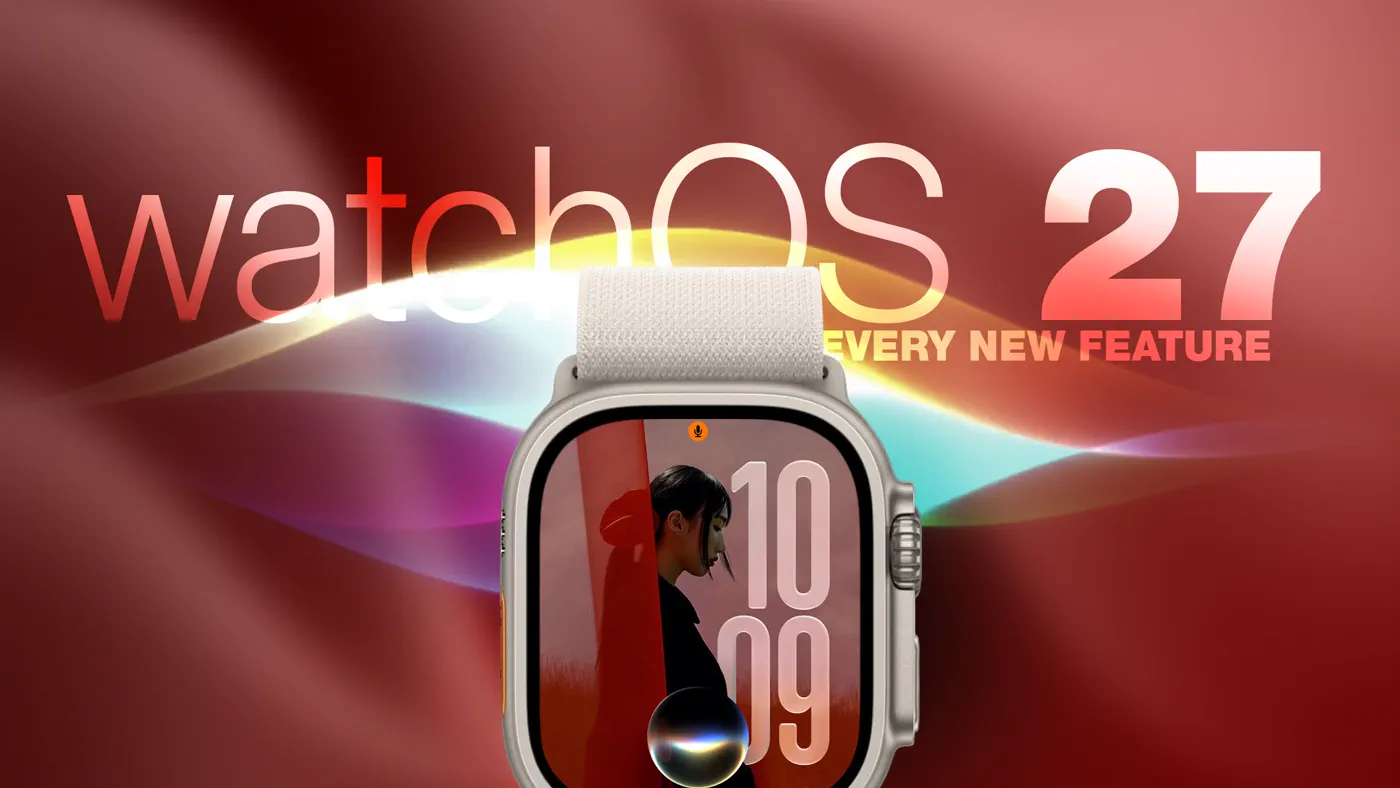
Apple officially released watchOS 27 on September 14, 2026, rolling out an operating system overhaul that brings conversational AI, refreshed navigation, and refined health tracking to millions of wrists worldwide. While flagship additions like the S11 chip and hardware-level Readiness metrics anchor the latest Apple Watch Series 12 and Apple Watch Ultra 4, the software update delivers substantial quality-of-life improvements to older compatible hardware.
To install watchOS 27, open the Watch app on your paired iPhone, navigate to General ➝ Software Update, place your watch on its magnetic charger with at least 50% battery, and follow the onscreen setup prompts.
Overview: What Happened with watchOS 27
Announced at WWDC and launched alongside the iPhone 18 lineup and Apple Watch Series 12, watchOS 27 represents one of Apple's most consequential software shifts in several years. The update centers on bringing Apple Intelligence directly to the wrist while pruning legacy features that no longer fit Apple's modern user interface philosophy.
Rather than forcing users to upgrade to the latest hardware to experience the changes, watchOS 27 distributes core layout revamps, navigation adjustments, and fitness tracking updates to models dating back three generations. At the same time, Apple has restructured fundamental gestures and system apps, retiring decades-old watch mechanics in favor of contextual automation.
Watch: watchOS 27 is Out! - What's New?

Video: zollotech on YouTube
The 12 Biggest Features and Changes to Check Out
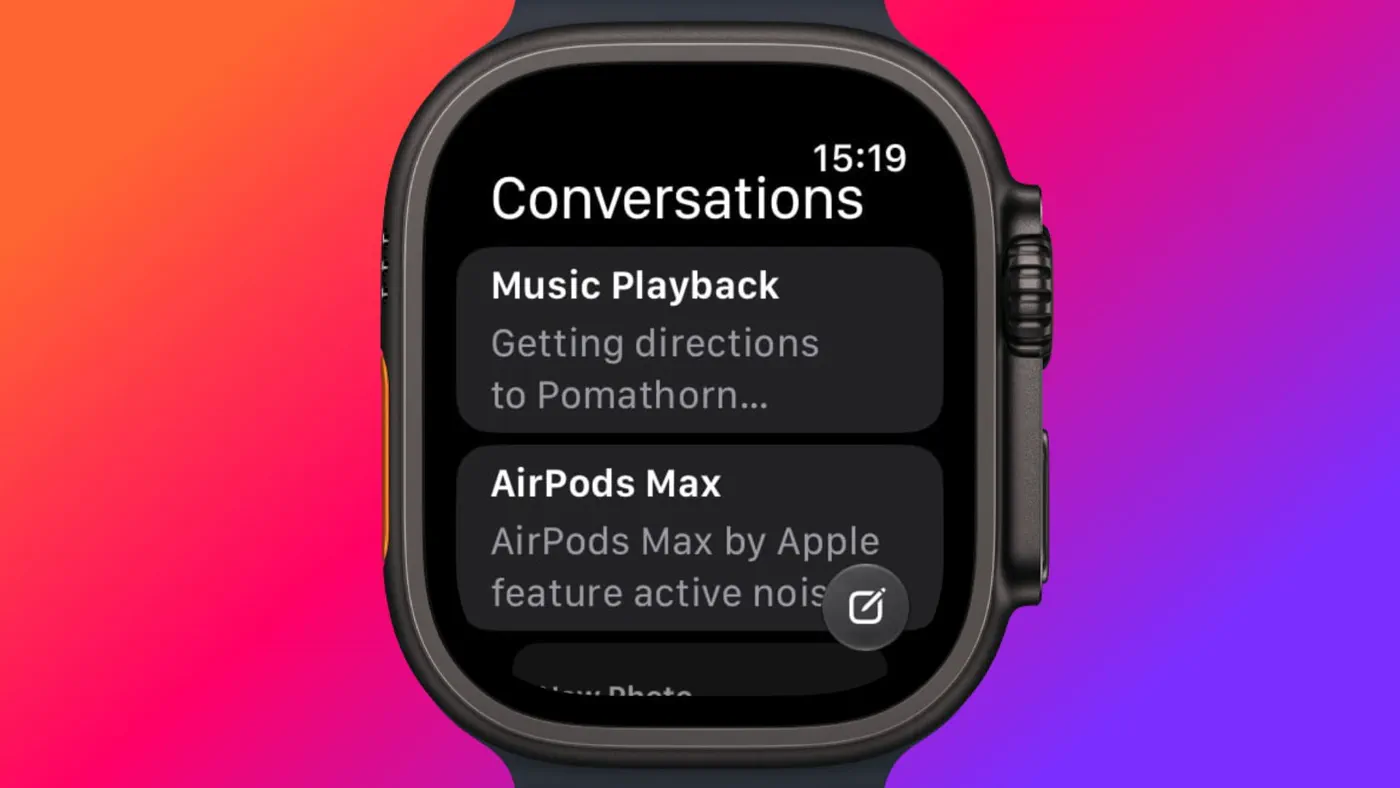 Photo: MacRumors: Mac News and Rumors - Front Page (source)
Whether you are wearing an Apple Watch Series 9 or a brand-new Ultra 4, here are the 12 most significant additions, changes, and removals in watchOS 27:
- Dedicated Siri App: Siri now features personal context awareness and operates out of its own standalone watch app. The app consolidates active queries and past conversations into a single feed that privately synchronizes across iPhone, iPad, and Mac via iCloud, allowing you to resume threads or start new voice inquiries directly from your wrist.
- Siri Modular Watch Face: This new watch face features a prominent rectangular complication that dynamically mirrors the top card of your Smart Stack. The display automatically adapts throughout the day based on your calendar, current location, active routines, and sensor data.
- The Dynamic App Grid: Clicking the Digital Crown no longer launches the traditional, sprawling honeycomb grid by default. Instead, watchOS 27 introduces a dynamic grid organizing suggested, most-used, and recent applications around a central Siri icon. The standard alphabetical list view remains available with a quick turn of the crown.
- New Single-Handed Tap Gesture: Expanding upon Double Tap and Wrist Flick, Apple has added a single "Tap" gesture. By tapping your index finger and thumb together once, you can immediately select and open the highlighted widget inside the Smart Stack without touching the display.
- Walkie-Talkie Has Been Deleted: Apple has permanently removed the legacy Walkie-Talkie app from watchOS 27. The push-to-talk utility has vanished from both the app list and Control Center, cannot be re-downloaded from the App Store, and cannot connect to users still on older software versions.
- Digital Crown Overhaul (App Switcher Deprecation): In watchOS 27, double-pressing the Digital Crown no longer brings up the legacy App Switcher. Instead, the double-press shows the dynamic app grid and reserves hardware triggers for Apple's upcoming Live Rewind audio transcript feature.
- Consolidated Find My App: Apple replaced the fractured trio of Find People, Find Devices, and Find Items with a unified, map-centric Find My application. It supports Precision Finding for locating a paired iPhone, AirPods Pro 3, and second-generation AirTags from a single interface.
- Untethered Workout Buddy: First introduced as an iPhone-dependent coaching tool, Workout Buddy can now run entirely standalone on the Apple Watch when connected via cellular or local Wi-Fi. It surfaces longitudinal pacing, duration, and distance insights, and adds Spanish support alongside English.
- Perimenopause Cycle Deviation Alerts: Building on wrist-temperature sensing, the Cycle Tracking app now proactively flags cycle irregularities and pattern deviations that are suggestive of perimenopause for users aged 40 and older.
- Calibrated Treadmill and Indoor Running Distance: Upgraded machine learning motion models calculate distance and cadence during indoor walks and treadmill runs with higher accuracy starting from your very first stride, rather than taking several minutes to calibrate against your historical gait.
- Expanded Smart Stack Contextual Widgets: The Smart Stack gains predictive intelligence. Contextual cards now automatically surface parked car locations, transit balance alerts, friend birthday reminders, Theater Mode active notices, and direct shortcuts to the Noise app immediately after a high-decibel exposure warning.
- Real-Time Steps Complication (Hardware Exclusive): Enabled by the S11 chip's redesigned pedometer algorithm, users of the Apple Watch Series 12 and Ultra 4 can place an always-on, real-time step counter complication directly on their watch face.
Hardware Compatibility and Feature Availability
While watchOS 27 is broadly available across modern Apple Watch models, select machine learning and health features require specific hardware sensors or paired devices.
| Feature | Series 9, 10, 11 | Apple Watch SE 3 | Ultra 2, Ultra 3 | Series 12 & Ultra 4 |
|---|---|---|---|---|
| Dynamic App Grid & New Tap Gesture | Yes | Yes (Gestures vary) | Yes | Yes |
| Unified Find My & Siri Modular Face | Yes | Yes | Yes | Yes |
| Untethered Workout Buddy | Yes (Cellular/Wi-Fi) | Yes (Cellular/Wi-Fi) | Yes | Yes |
| Perimenopause Cycle Tracking | Yes (Series 9–11) | No (No Temp Sensor) | Yes | Yes |
| Siri AI Conversational App | Yes (Paired AI iPhone) | Yes (Paired AI iPhone) | Yes (Paired AI iPhone) | Yes (Paired AI iPhone) |
| Real-Time Steps Complication | No | No | No | Yes (S11 chip) |
| Readiness App & Live Rewind | No | No | No | Yes (Exclusive) |
Background: Apple’s Shift Toward Wrist-First Intelligence
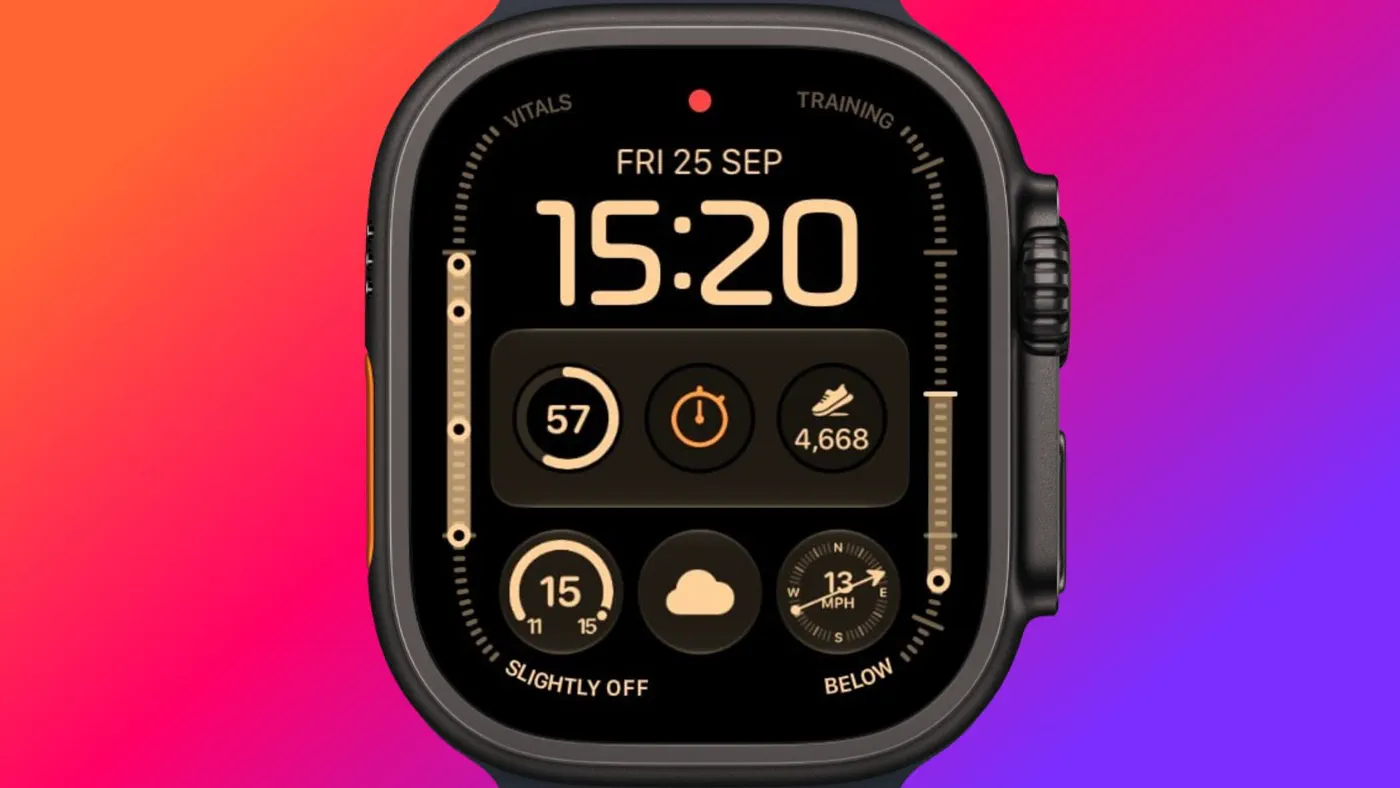 Photo: MacRumors: Mac News and Rumors - Front Page (source)
For nearly a decade, watchOS prioritized glanceable notifications, quick workouts, and mini-applications adapted from iOS. However, user behavior over successive generations revealed that complex third-party watch apps were rarely launched manually; users relied overwhelmingly on widgets, complications, and automatic notifications.
Beginning with the Smart Stack in watchOS 10 and continuing through the introduction of on-device processing in the S9 chip, Apple laid the architectural groundwork to make the watch proactive rather than reactive. The arrival of watchOS 27 represents the culmination of that pivot. By consolidating apps like Find My, retiring underutilized tools like Walkie-Talkie, and deploying Siri AI conversation trees that sync across the Apple ecosystem, Apple is positioning the Apple Watch as an ambient AI endpoint rather than an iPhone accessory.
Comparison: How watchOS 27 Stacks Up
Against watchOS 26, the new update feels notably faster and less cluttered. The elimination of the cumbersome honeycomb grid removes one of the original 2015 Apple Watch design vestiges, dramatically cutting down the time required to locate non-docked applications.
Compared to competing wearable platforms like Google's Wear OS 6 and Samsung's One UI 7 Watch, Apple's gesture navigation remains substantially ahead. While Wear OS still relies heavily on two-handed touchscreen swipes and voice inputs, watchOS 27 allows almost complete single-handed interaction via Tap, Double Tap, and Wrist Flick. However, Apple continues to lag behind competitors like Garmin and Whoop on older watches by locking its new unified Readiness recovery score exclusively to the Series 12 and Ultra 4, whereas rivals deploy software-based recovery metrics across multiple generations of back-catalog hardware.
Community Reactions and the App Switcher Backlash
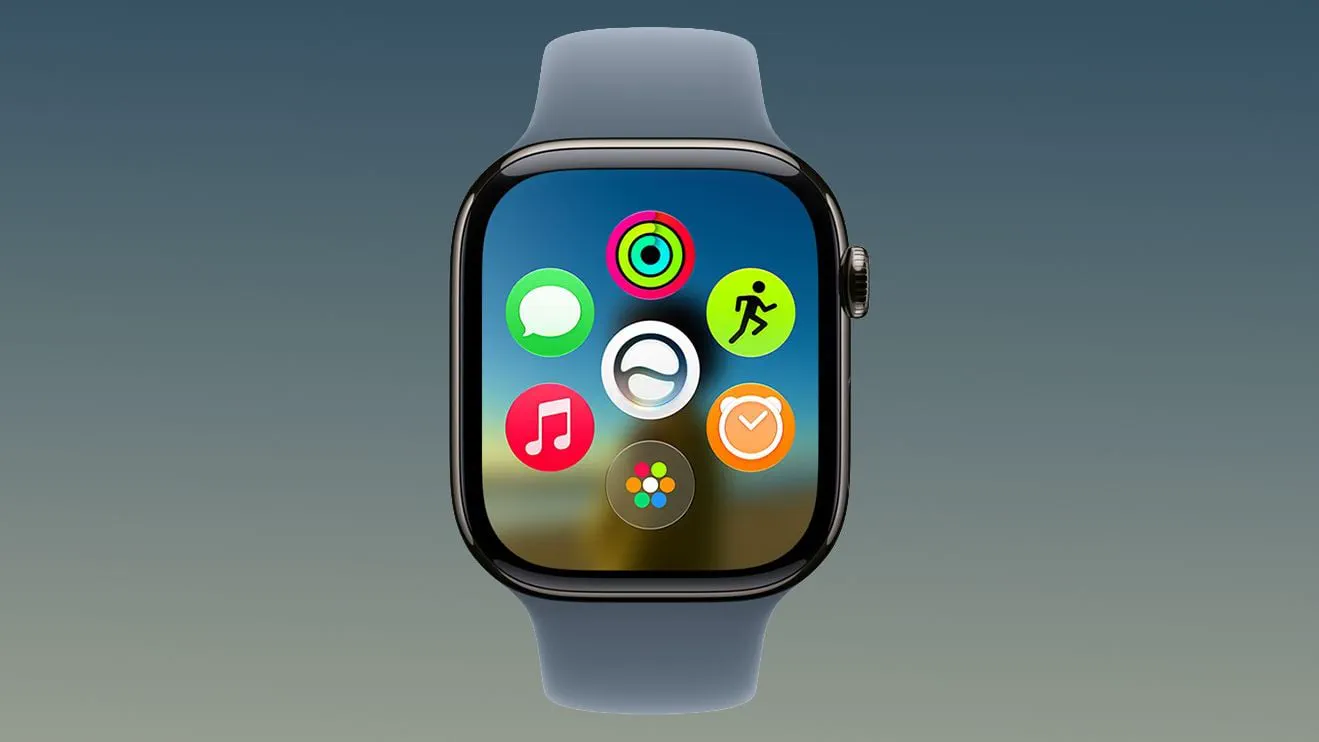 Photo: MacRumors: Mac News and Rumors - Front Page (source)
Consumer response to watchOS 27 has been broadly positive, with fitness enthusiasts praising the improved treadmill accuracy and users welcoming the streamlined Find My interface. The new single-handed Tap gesture has also earned acclaim from accessibility advocates and runners who frequently interact with their watches while holding equipment.
However, the sudden deprecation of the Digital Crown's double-press App Switcher triggered vocal backlash in community forums. Power users noted that muscle memory formed over years was broken overnight, leaving them unable to quickly jump between active apps or force-quit frozen processes. In response to tester complaints, Apple addressed the critique directly in its developer channel, revealing that the App Switcher will officially return in the upcoming watchOS 27.2 update, accessible via a bottom-screen long-press gesture.
Practical Advice for Apple Watch Owners
Before updating, users should take note of several functional shifts:
- Check Your iPhone Pairing: Full Siri AI features on your wrist require a paired iPhone that supports Apple Intelligence (iPhone 15 Pro, iPhone 16, or newer) set to a supported language. Standard Siri functions still work on older paired phones, but conversational context sync will be limited.
- Relearn Your Gestures: Practice the new single Tap (index and thumb pinched together once) inside the Smart Stack to open cards without reaching across with your other hand.
- Prepare for Walkie-Talkie Discontinuation: If your family or colleagues relied on Walkie-Talkie, transition to audio messages in Messages or Phone calls before updating, as the service will cease to connect once either party upgrades to watchOS 27.
What’s Next: Upcoming Releases and Unanswered Questions
Apple is already actively testing watchOS 27.2, which will reinstate the App Switcher and introduce a redesigned screenshot preview workflow similar to iOS.
Several key questions remain unanswered heading into late 2026. Apple has not confirmed whether the real-time Steps complication or the Readiness score will eventually trickle down to Series 10 or Series 11 models via future software point updates, or if they will remain permanent hardware differentiators. Furthermore, European Union availability for certain Siri AI conversational capabilities remains paused while Apple negotiates compliance details under regional digital market frameworks.
FAQ
Which Apple Watch models are compatible with watchOS 27?
watchOS 27 is compatible with Apple Watch Series 9, Series 10, Series 11, and Series 12; Apple Watch Ultra 2, Ultra 3, and Ultra 4; and Apple Watch SE 3. It requires a paired iPhone running iOS 27 or later.
Can I get the Walkie-Talkie app back on watchOS 27?
No. Apple has completely removed the Walkie-Talkie app from watchOS 27, and it cannot be reinstalled from the App Store. If you require Walkie-Talkie, you must remain on watchOS 26.
Why did the App Switcher disappear after updating?
Apple reassigned the Digital Crown double-press gesture to the new dynamic app grid and upcoming Live Rewind audio features. The App Switcher will return in watchOS 27.2 via a long-press at the bottom of the screen.
Can older watches use the new real-time Steps complication?
No. At present, the live Steps complication is exclusive to the Apple Watch Series 12 and Apple Watch Ultra 4, powered by the S11 chip's updated pedometer algorithms.
Does untethered Workout Buddy require an Apple Watch cellular plan?
Workout Buddy can operate without your iPhone nearby as long as your Apple Watch is connected to an active cellular connection or a known local Wi-Fi network.