Meta has rolled out a new privacy setting allowing Ray-Ban Meta smart glasses users to stop the company from storing and training its artificial intelligence models on their visual recordings. The quiet update, confirmed by Meta following intense public scrutiny and a mounting federal lawsuit, gives wearers direct control over whether human contractors and machine learning pipelines review camera-based interactions captured throughout their day.
For months, wearable tech enthusiasts and privacy advocates have debated how big tech companies handle first-person point-of-view camera feeds. While Meta previously allowed users to opt out of some cloud logging, camera queries directed at Meta AI were captured, stored on remote servers, and often routed to overseas labeling contractors to refine computer vision systems. The new control ends that pipeline for anyone willing to toggle it off.
The New Opt-Out: What Meta Changed
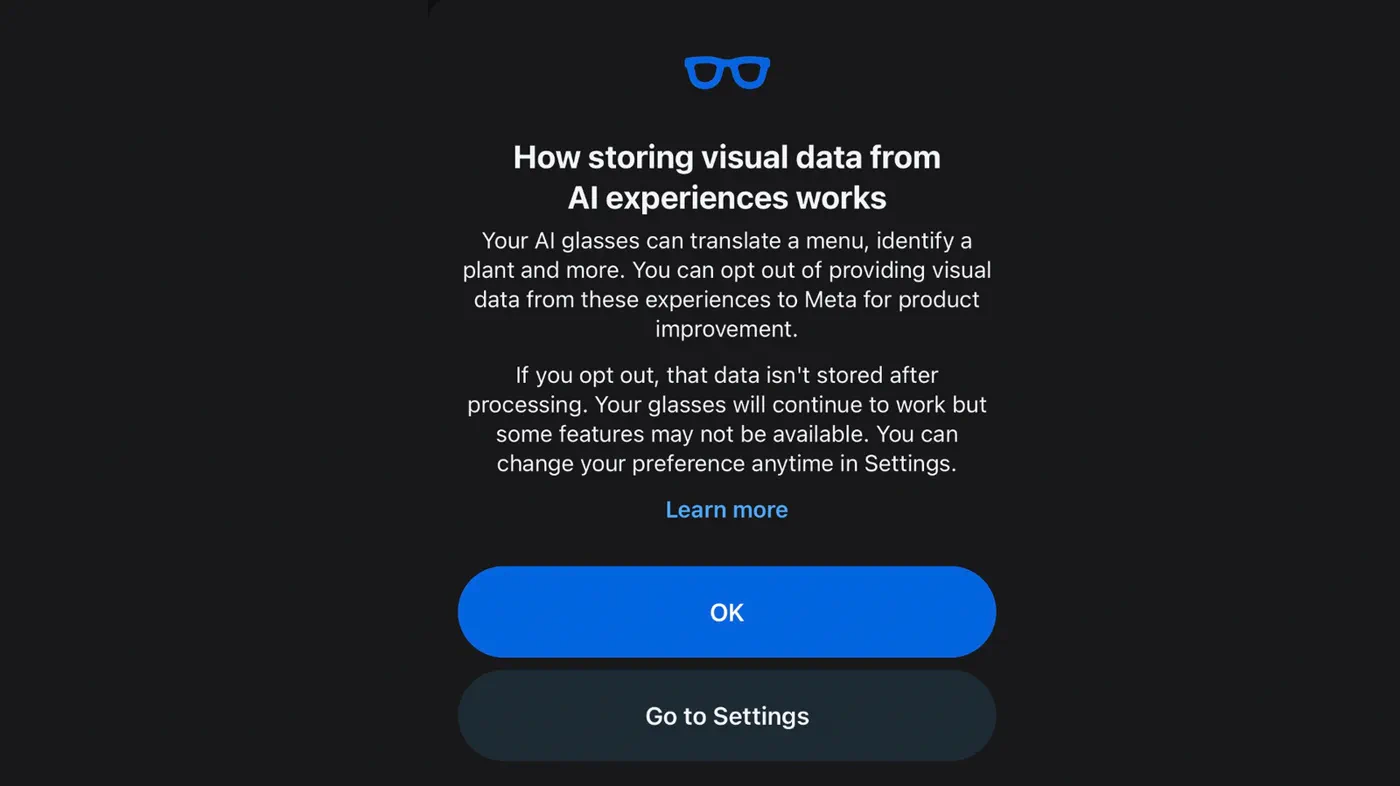
The policy shift introduces a dedicated switch within the companion app that halts long-term visual data retention. Under the revised guidelines, wearers who opt out will have their camera queries processed in real time and promptly discarded.
"If you've opted out and you ask your glasses to translate a menu, we'll use your visual data to answer your question and then it's gone," Meta explained in an official support update. "It isn't used for training and nobody reviews it for product improvement."
Beyond keeping visual samples out of future AI model iterations, the toggle directly impacts human moderation. Meta confirmed to reporters that toggling the feature off guarantees that captured imagery will no longer be distributed to third-party data-labeling contractors in foreign facilities. However, the setting is not retroactive; any imagery ingested and processed before toggling the setting remains part of Meta's previously trained datasets.
Step-by-Step: How to Turn Off Visual Data Storage
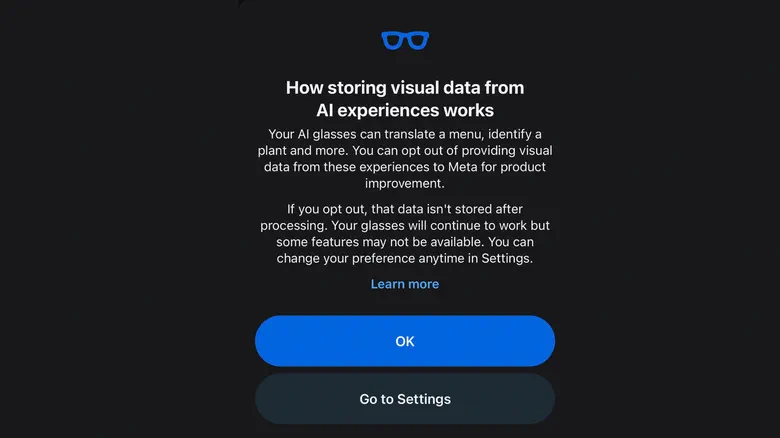 Photo: Engadget - Technology News & Expert Reviews (source)
The opt-out setting is managed through the companion smartphone application rather than the hardware itself. To prevent Meta from storing visual frames for AI training, follow these steps:
- Open the companion Meta AI app on your paired iOS or Android smartphone.
- Navigate to your device Settings by tapping your glasses profile.
- Under the Experiences section, select Meta AI.
- Locate the toggle labeled Store visual data from AI experiences and switch it Off.
Users can also configure this preference during initial hardware onboarding when setting up a new or factory-reset pair of glasses. If the toggle is disabled, certain multimodal features that depend on persistent memory—such as asking the assistant to recall where you set down your car keys earlier in the afternoon—will be limited or unavailable.
Camera Roll vs. 'Visual Data': The Confusion Meta Created
Much of the consumer confusion around the Ray-Ban Meta glasses stems from how Meta categorizes media. Ordinary photos and videos captured by pressing the physical temple button or saying "Hey Meta, take a photo" are saved locally to the glasses and imported directly to your phone's camera roll. Meta has repeatedly maintained that this personal media gallery is private by default and has never been used for training AI models.
"Visual data," however, is treated entirely differently. Whenever a user invokes the assistant to interpret their environment—such as saying "Hey Meta, look and tell me what kind of plant this is"—the hardware activates the camera, snaps a frame or short clip, and beams that file to Meta's cloud servers. Because these snapshots do not appear in the user's camera roll, many owners had no idea the visual files were preserved or that human eyes might ever inspect them.
The Catalyst: Offshore Contractors and Intimate Leaks
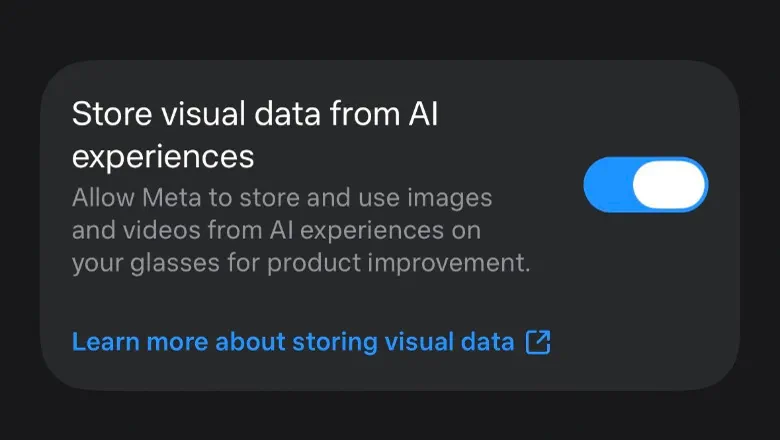 Photo: Engadget - Technology News & Expert Reviews (source)
The impetus for Meta's sudden concession traces back to a damning joint investigation published earlier this year by Swedish newspapers Svenska Dagbladet and Göteborgs-Posten. The publications interviewed dozens of data annotators employed by outsourcing firm Sama in Nairobi, Kenya. Workers revealed that they routinely reviewed sensitive, unblurred video clips captured by smart glasses wearers.
According to worker testimonies, annotators encountered recordings of people using the bathroom, undressing in bedrooms, handling sensitive financial paperwork, and recording young children. In many cases, users were completely unaware the glasses were transmitting data, often triggering the cameras through accidental touchpad taps or assistant misfires.
Shortly after the investigative report, Meta terminated its contract with Sama, leading to the abrupt layoff of 1,108 Kenyan workers. While Meta claimed the vendor failed to meet performance standards, the fallout quickly escalated into a proposed federal class-action lawsuit in California representing both smart glasses owners and non-consenting bystanders whose faces were harvested.
Audio and Bystanders: What the New Toggle Doesn't Fix
While the visual data toggle closes a major privacy vulnerability, critics note that Meta left significant gaps in place. Most notably, the opt-out applies strictly to imagery and video.
Voice interactions with the assistant remain subject to storage and model training. Meta's existing policies state that voice recordings, audio transcripts, and related diagnostic data can still be reviewed by vendors and internal teams to improve speech recognition engines. The only way to remove voice data is through manual deletion in the app's activity log.
Furthermore, the opt-out offers zero protection for bystanders. If an opted-out wearer asks Meta AI to scan a public street, people walking in front of the lens will have their images analyzed in the cloud during that query. Although the file is supposedly purged immediately afterward, third parties still possess no method to block nearby glasses from uploading their likeness to Meta servers in the first place.
Data Policy Breakdown: What Stays, What Goes, and What Trains Meta AI
 Photo: engadget.com (source)
| Data Category | Default Status | Used for AI Training? | Human Review? | Can You Opt Out? |
|---|---|---|---|---|
| Standard Photos & Videos | Saved locally | No | No | Yes (Default Private) |
| Multimodal Visual Data | Uploaded to cloud | Yes (by default) | Yes (third-party annotators) | Yes (New Toggle) |
| Voice Commands & Audio | Uploaded to cloud | Yes | Yes (speech engine teams) | No (Manual deletion only) |
| Bystander Imagery | Uploaded via user AI query | Yes (unless user opted out) | Possible if retained | No bystander controls |
Practical Advice for Smart Glasses Owners
If you own Ray-Ban Meta glasses and value personal privacy, relying on default settings is no longer advisable. Here is how to keep your hardware locked down:
- Disable Visual Storage Immediately: Turn off "Store visual data from AI experiences" inside the app so your visual queries are wiped after delivery.
- Clear Voice History Regularly: Head to your voice settings and periodically delete your interaction history to wipe recorded voice audio from Meta servers.
- Disable Wake Words in Private Spaces: Turn off the hands-free "Hey Meta" voice detection when relaxing at home to prevent accidental assistant activations during intimate moments.
- Never Obstruct the Recording LED: Meta has begun permanently deactivating camera hardware on frames where users physically tamper with or cover the outward-facing privacy light.
What Comes Next for Meta Wearables
Meta and partner EssilorLuxottica have enjoyed significant commercial success with smart glasses, surpassing 7 million units sold. Yet privacy scrutiny continues to reshape Meta's product roadmap.
At Meta Connect, CEO Mark Zuckerberg showcased upcoming camera-free, audio-only frame styles designed specifically for users who want conversational AI assistance without placing cameras on their faces. As regulatory bodies in Europe and the United States examine the intersection of wearable cameras, automated computer vision, and gig-economy data labeling, Meta's new visual opt-out is likely just the first of several privacy compromises Big Tech will have to make.
FAQ
Does opting out delete visual data Meta already collected from my glasses? No. Disabling the toggle prevents future visual queries from being stored or reviewed, but it does not retroactively erase data that Meta has already ingested and processed for machine learning models.
Are standard photos taken with the capture button used for AI training? No. Meta states that standard photos and videos saved to your phone's camera roll remain private by default and are not accessed or reviewed to train its AI systems.
Does this setting stop Meta from recording my voice? No. The new opt-out toggle applies exclusively to visual data. Your voice prompts and transcripts are still retained by Meta for speech recognition training unless you manually delete them in your account activity log.
Will disabling visual data storage break my glasses' features? Core features like real-time translation and object identification will still function normally, but long-term contextual features that require visual memory—like remembering where you left an object—will be limited or unavailable.