Google is rolling out an update to the Google Home app that lets Nest Doorbell owners preview chime ringtones directly on their phones before applying them. The quality-of-life upgrade arrives just ahead of the busy fall and winter holiday season, eliminating a long-standing frustration where homeowners had to physically walk outside and press their own doorbell to find out what a chime sounded like.
Ringtone Previews Arrive in Google Home
For years, smart doorbell users have customized alert sounds to add seasonal flair to their front porches, but the process inside the Google Home ecosystem was clunky. Users could pick from standard chimes or seasonal audio clips, but the Google Home app gave no audio sample of what the file actually sounded like.
With the latest Google Home update, Google has inserted an inline audio preview button right next to each tone inside the device settings menu. Tapping the play icon plays the full audio clip through your smartphone’s speaker, allowing you to sample spooky sounds, festive songs, or classic chimes instantly.
While the preview feature is now active, Google has not opened up all seasonal ringtones simultaneously. Users can preview all classic year-round chimes, but holiday selections remain locked to their scheduled calendar windows. Currently, the only active seasonal selection in the app is the Oktoberfest theme, which is available through October 9. Spooky season fans waiting for Halloween ghouls and witches will still need to wait for October’s holiday rollout to activate those specific tones.
How the Audio Preview Feature Works in the App
 Photo: droid-life.com (source)
The new preview system is built directly into the existing device configuration tree in the Google Home app for both Android and iOS. When browsing the ringtone library, every available tone now displays a dedicated playback button to its left.
To test out the new feature on an active Nest Doorbell, follow these steps:
- Launch the Google Home app on your mobile device.
- Tap your Nest Doorbell from your Favorites tab or Devices list.
- Tap the Settings (gear icon) in the top right corner.
- Select Doorbell from the device settings list.
- Tap Doorbell theme to open the chime catalog.
- Tap the circular Play button to the left of any chime name to hear the audio sample.
- Select the chime you want, and the Google Home app will push it directly to your outdoor doorbell and indoor chime system.
When a selection is active, visitors hear the sound played directly from the outdoor speaker when they press the button, and connected Google Nest speakers and smart displays announce the visitor using the same festive audio.
Complete Breakdown of Nest Doorbell Chimes and Holiday Themes
Google maintains two distinct tiers of doorbell audio: permanent "Classic" themes available year-round, and limited-time "Seasonal" themes tied to cultural holidays.
| Category | Theme / Sound Name | Availability Window | Description |
|---|---|---|---|
| Classic | Ding Dong | Year-round | Standard, traditional two-tone mechanical chime style |
| Classic | Nest Classic | Year-round | Google's signature modern electronic chime |
| Classic | Westminster | Year-round | Classic clock-tower inspired four-note sequence |
| Classic | Digital | Year-round | Subtle, crisp modern electronic ping |
| Classic | Bells | Year-round | Melodic, gentle indoor bell chime |
| Classic | Birthday Party / Happy Birthday | Year-round | Upbeat celebratory musical riff for parties |
| Seasonal | Oktoberfest | Late Sept – Oct 9 | Traditional Bavarian brass and folk accordion riff |
| Seasonal | Halloween | Mid/Late October | Ghost, Witch, Wolf, Raven, Vampire, Monster, Skeleton |
| Seasonal | Thanksgiving | Late November | Classic chime followed by an authentic turkey gobble |
| Seasonal | Winter Holidays | December | Christmas carols, Hanukkah tunes, Kwanzaa, Sleigh Bells |
| Seasonal | New Year's Day | Early January | Auld Lang Syne and party horn celebrations |
| Seasonal | Lunar New Year | Late Jan / Mid Feb | Traditional celebratory festival rhythms |
| Seasonal | Independence Day | Early July | Patriotic anthems (Star-Spangled Banner) and fireworks |
All official ringtones are created by Google’s internal audio UX design team and are restricted to a maximum length of 10 seconds so guests are not kept waiting at your doorstep.
Part of a Broader September Google Home and Gemini Refresh
 Photo: droid-life.com (source)
The ringtone preview toggle is part of a sweeping late-September maintenance update across the Google Home ecosystem. Alongside porch audio tweaks, Google included several functional upgrades aimed at reliability and usability:
- Definitive Smart Light Shutoff: Previously, dragging the brightness slider down to 0% on certain smart bulbs or group dimmers left fixtures lingering at minimum glow. The app now transmits an absolute power-off command at zero percent, preventing phantom energy draw.
- Faster Device Onboarding: The Google Home app can now securely cache Wi-Fi credentials on your smartphone during setup. Adding subsequent smart home devices no longer requires re-entering your network passkey every time.
- Bluetooth & Wi-Fi Pairing Stability: Low-level handshake fixes for iOS and Android eliminate common stalls and dropouts when pairing new Nest hardware.
- Visual Device Tiles: Connected, online cameras and doorbells now show accented background colors and filled icons, making it simple to differentiate active video feeds from offline units at a glance.
- Gemini for Home Latency Reductions: Smart speakers and displays operating on the Gemini assistant layer received response-time optimizations, improved conversation follow-ups, and more reliable "Find My Phone" triggers.
- Smoother Android Video Playback: Android users will experience reduced buffering when pulling up recorded event clips in camera timelines.
The Problem It Fixes: Ending the "Doorbell Run"
To appreciate why users are celebrating this seemingly modest feature, you have to understand the awkward ritual it replaces.
When Google first introduced custom chimes on the original Nest Hello (now known as the Nest Doorbell wired 1st gen), ringtones could only be triggered by an actual button depression. If a user wanted to audition three different Halloween sounds—say, choosing between the Witch’s cackle, the Wolf howl, or the Vampire—they had to pick an option in the app, step out onto the porch, press the button, listen, walk back inside, pick the next option, and repeat.
For apartment dwellers or homes with long entryways, this turned simple customization into an absurd chore. It also frequently triggered false-alarm mobile notifications, bewildered family members inside the house, and set off household dogs. Having a native play button in the software UI resolves a design blind spot that persisted for years.
Google Nest vs. Amazon Ring: Catching Up on Front Porch Fun
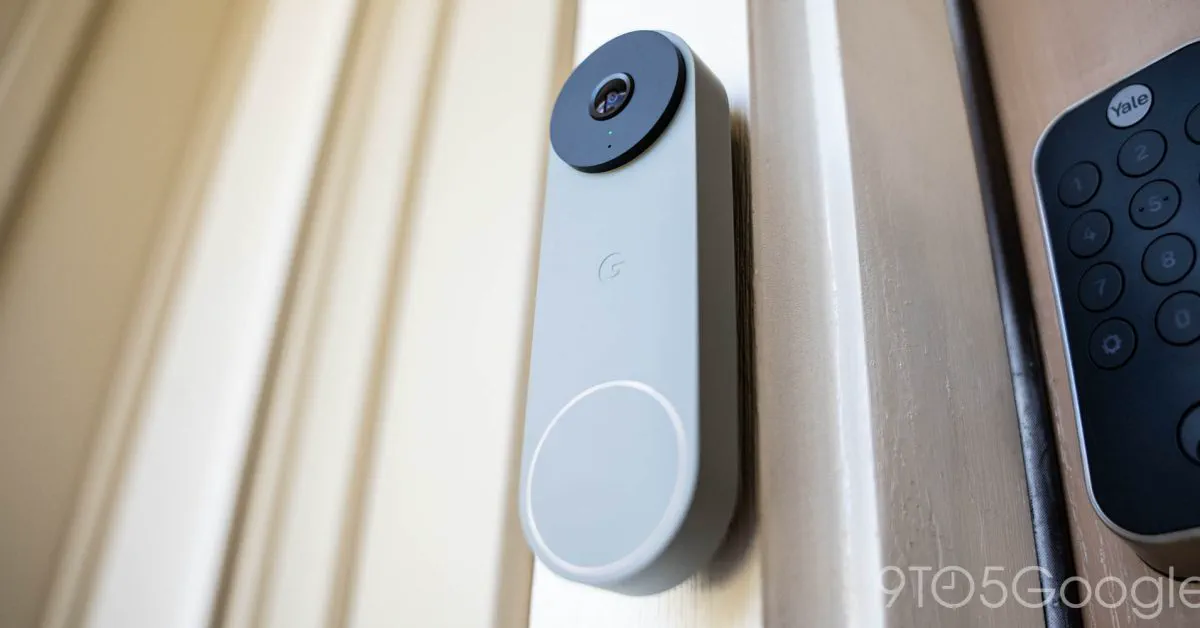
 Photo: 9to5google.com (source)
Smart home accessories are increasingly judged on software convenience rather than just camera resolution. In the chime department, Google has trailed Amazon's Ring ecosystem for some time.
Ring has offered audio previews for both its mobile notifications and internal Ring Chime modules for years, giving customers instant audio feedback while customizing ringtones. Ring also makes it easy to switch seasonal chimes on the fly without restricting holiday sounds strictly to calendar gates.
Google's approach remains more curated. Google designs high-fidelity, custom orchestral and foley effects internally, but it strictly restricts seasonal themes to automated time windows. When a holiday concludes, the seasonal sound automatically disappears from the app, and the doorbell gracefully drops back to whatever classic tone you had previously configured. With in-app previews now live, Google brings its user experience up to parity with its biggest competitor while retaining its polished audio design.
Compatibility and Setup Guide for Homeowners
The chime preview capability is supported across Google's contemporary doorbell portfolio:
- Nest Doorbell (battery): Full support for in-app previews and seasonal chimes. Note that while it rings your Google Assistant/Gemini speakers, the battery model does not actuate traditional mechanical indoor chimes unless wired into an existing low-voltage circuit.
- Nest Doorbell (wired, 2nd gen): Full support across indoor speakers, digital chimes, and external units.
- Nest Doorbell (wired, 1st gen / Nest Hello): Supported for users who have migrated their legacy camera management into the Google Home app public preview.
No firmware update is required for the hardware itself. The feature rolls out via a server-side and client update to the Google Home application on iOS and Android. Ensure your app is updated to the latest build through the Google Play Store or Apple App Store.
What’s Next: Seasonal Schedules and Missing Features
While audio previews solve the discovery problem, smart home enthusiasts still have items on their wish lists. Users still cannot upload custom MP3 or WAV files natively through Google Home; setting custom sounds like film audio or personal voice recordings still requires third-party workarounds like Home Assistant.
Furthermore, users cannot force Google Home to keep a favorite holiday chime active outside of its official window. Once Google sunsets the Oktoberfest sound on October 9, it will rotate out until next autumn. Look for the Halloween suite to drop shortly thereafter in mid-October, followed by the comprehensive winter holiday suite at the start of December.
Frequently Asked Questions
Can I preview holiday chimes before their season officially starts?
No, you can only preview seasonal ringtones that are currently active in Google's calendar window. Permanent classic tones can be previewed at any time, but holiday themes appear and disappear according to Google's schedule.
Does the chime preview play through the doorbell or my phone?
The preview button plays audio directly through your smartphone's speaker. It does not broadcast outside to the doorbell or ring your indoor speakers until you actually select and save the theme.
Can I upload my own custom MP3 doorbell chimes in Google Home?
No, Google Home does not natively support custom user-uploaded audio files for Nest Doorbells. You can only pick from Google's curated library of classic and seasonal audio files unless you manage announcements through a third-party server like Home Assistant.
Which Nest Doorbell models support audio chime previews?
The preview feature is available for the Nest Doorbell (battery), Nest Doorbell (wired, 2nd gen), and original Nest Hello (wired, 1st gen) managed within the Google Home app.