Apple has officially launched macOS 27 Golden Gate to the public, delivering a major platform upgrade headlined by next-generation Apple Intelligence features and an overhauled Siri AI. Following several months of developer and public beta testing, the operating system brings contextual generative AI and machine learning directly into the native applications Mac users rely on every single day.
While Apple's revamped personal assistant claims top billing, the real utility of macOS 27 lies in how deeply embedded machine learning has become across the operating system. Rather than isolating artificial intelligence inside standalone chat windows or experimental sandboxes, Apple has integrated specialized on-device models into the file system, browser, photo library, and automation engine.
Creative Tools in Photos: Spatial Reframing and Generative Fill
The built-in Photos app receives several of the most technically demanding Apple Intelligence additions in macOS 27, drawing on upgraded image foundation models running locally on Apple Silicon:
- Spatial Reframing: Allows photographers to shift camera perspective and adjust composition after a shot has already been captured, compensating for awkward angles or misaligned horizons.
- Extend: Uses generative diffusion infill to expand photo backgrounds beyond their original framing, giving subjects breathing room without cropping into the existing frame.
- Enhanced Clean Up: Builds upon earlier object-removal tools with higher-precision edge detection and realistic infill textures, handling complex backgrounds like flowing water, foliage, and intricate architecture far more cleanly.
These editing workflows retain non-destructive versioning, allowing users to revert adjustments or tweak machine-generated boundaries back to the raw capture at any time.
Watch: macOS 27 Released! What's New?

Video: MacVince on YouTube
Safari and Finder: Web Tracking, AI Extensions, and File Organization
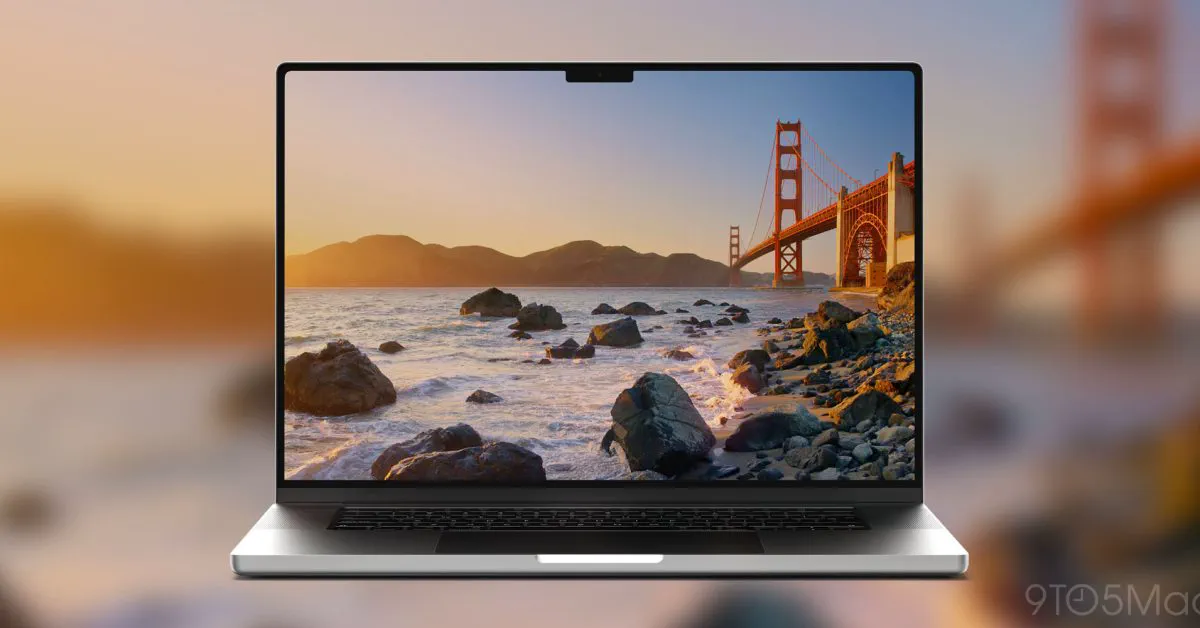 Photo: 9to5mac.com (source)
Safari and Finder—two of the oldest core utilities in macOS—both gain practical AI features aimed at reducing daily friction. In Safari, browsing organization receives an automated boost alongside real-time monitoring tools:
- Automatic Tab Grouping: Analyzes open tabs across browsing sessions and automatically clusters related pages by topic, keeping research projects cleanly organized.
- Notify Me: Monitors designated web pages for live changes, delivering push notifications when prices drop on retail sites or out-of-stock items return to inventory.
- Describe an Extension: Lets users generate functional browser extensions by simply typing plain-English prompts outlining the desired utility, such as site scrapers, specific page re-formatters, or custom ad filters.
In the Finder file system, Apple Intelligence addresses messy desktop clutter. When saving or organizing files and folders, macOS 27 scans the internal content of documents, PDFs, and spreadsheets to generate accurate, descriptive naming suggestions with a single click.
Natural Language Automation in Shortcuts
Creating Mac automations has historically required understanding logic gates, nested menus, and scripting dictionaries. In macOS 27, the Shortcuts application introduces natural language authoring.
Instead of assembling actions manually, users can describe their intended workflow—for instance, "Resize selected images to 1080p, convert them to PNG, and upload them to a new Dropbox folder"—and Shortcuts automatically constructs the workflow. Users can then converse with the editor to iterate on logic, asking the tool to add error checks, file confirmations, or notifications without touching the underlying block scripts. The traditional visual editor remains fully accessible for power users who prefer granular control.
Visual Intelligence and Siri AI
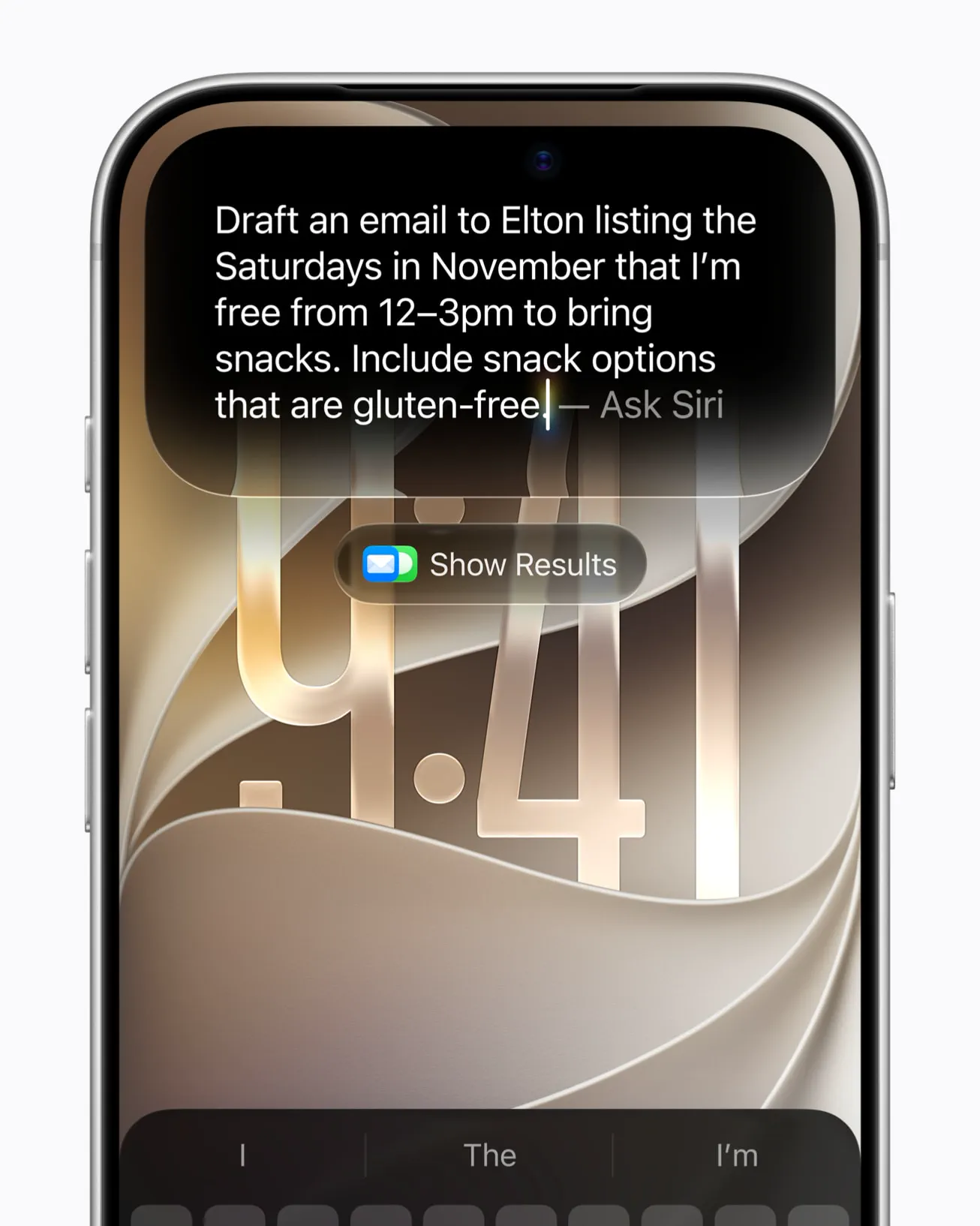 Photo: apple.com (source)
Siri AI in macOS 27 moves beyond rigid voice queries into a multimodal system assistant integrated directly into Spotlight and a new dedicated Mac app.
- Dedicated Siri App: Keeps a searchable, iCloud-synced history of past queries, documents summarized, and active tasks across macOS, iOS, and iPadOS devices.
- Spotlight Integration: Siri AI answers complex research prompts, indexes personal context across Mail, Messages, Notes, and Calendar, and executes cross-app commands.
- Visual Intelligence: By invoking Command-Shift-Space, users can select any active window or screen region. Siri AI parses text, tables, and images on screen to answer contextual questions, extract data, or schedule calendar events directly from visible details.
Liquid Glass Interface Refinements
Accompanying the AI enhancements is a visual refinement of Apple's Liquid Glass interface design language. macOS 27 addresses user feedback regarding legibility with a new customization slider in System Settings > Appearance:
- Appearance Slider: Provides three preset notches—Most Clear, Medium, and Most Opaque—along with fluid fine-tuning to let users control the transparency and diffusion blur of interface chrome.
- Dynamic System Elements: The Dock, menu bar, and desktop widgets adjust dynamically to the slider setting, matching high-contrast workspace setups or transparent aesthetic preferences.
- Redesigned Icons and Controls: System app icons for Finder, Photos, Siri, Preview, and Chess feature updated Liquid Glass depth layers, while window traffic light buttons gain playful physics-based bounce animations. An easter egg pane even resurrects Apple's classic dogcow icon, Clarus.
System Requirements and Hardware Compatibility
 Photo: apple.com (source)
macOS 27 Golden Gate marks a milestone in Apple's platform architecture: it requires Apple Silicon hardware. As Apple begins phasing out developer support for legacy Intel configurations, full Apple Intelligence capabilities demand hardware neural engines.
| Hardware Platform | Apple Intelligence Status | On-Device Storage Required | Key Supported Features |
|---|---|---|---|
| Apple Silicon (M1, M2) | Fully Supported | Up to 8 GB | Writing Tools, Clean Up, Tab Groups, Smart Reply |
| Apple Silicon (M3, M4, M5, A18 Pro) | Advanced Tier (≥12 GB Unified RAM) | Up to 14 GB | Spatial Reframing, Extend, Full Siri AI Context, Real-Time Infill |
| MacBook Neo (A18 Pro) | Supported | Up to 8 GB / 14 GB (config dependent) | Shortcuts Generative Fill, Spotlight Siri AI |
| Legacy Intel Macs | Unsupported | N/A | Excluded from macOS 27 Golden Gate upgrade |
Storage overhead varies based on unified system memory and processor tier. Higher-spec machines running larger local parameter weights dedicate up to 14 GB of storage to host on-device weights, preserving user privacy by running inferences locally rather than shipping data to remote servers.
Competitive Comparison: macOS vs. Windows Copilot+
Apple's approach in macOS 27 Golden Gate stands in sharp contrast to Microsoft's rollout of Copilot+ PCs in Windows 11. Where Microsoft centralized AI around persistent Recall database snapshots and a prominent Copilot sidebar, Apple has distributed generative capabilities inside existing user touchpoints.
Apple Intelligence in macOS emphasizes privacy and contextual continuity. Inferences for Finder naming, Safari extension authoring, and Spatial Reframing run on local Neural Engine cores, offloading to Private Cloud Compute only when heavy external queries demand broader model context. Furthermore, by building extension generation and tab grouping into the native web browser without requiring external add-on subscriptions, Apple avoids the recurring paywalls that competing ecosystem tools often impose.
Practical Advice: Upgrading and Next Steps
Users planning to upgrade should prepare their machines prior to installation. Because macOS 27 downloads substantial foundation model packages upon first boot, ensure your Mac has at least 15 GB to 20 GB of free drive space to prevent installation bottlenecks.
Apple has already seeded macOS 27.2 Golden Gate beta builds to developers, pointing toward upcoming refinements to Safari extension sandboxing and additional third-party app hooks for the Siri AI framework. For everyday users on compatible M-series Macs, macOS 27 Golden Gate is available now as a free software update via System Settings > General > Software Update.
FAQ
Which Mac models support macOS 27 Golden Gate? macOS 27 requires an Apple Silicon Mac equipped with an M1 processor or newer, as well as the A18 Pro-powered MacBook Neo. Intel-based Macs are not supported by macOS 27.
Do all macOS 27 features require an internet connection? No. Most Apple Intelligence features—including Photos Spatial Reframing, Clean Up, smart Finder naming, and natural language Shortcuts generation—run entirely on-device via Apple's local models.
How do I summon Visual Intelligence on my Mac? You can trigger Visual Intelligence across any app or desktop space by pressing the keyboard shortcut Command-Shift-Space, which lets you highlight a specific window or screen area for analysis.
How much drive storage does Apple Intelligence use on macOS 27? Apple Intelligence reserves up to 8 GB of storage on standard Apple Silicon Macs, and up to 14 GB on M3, M4, or M5 systems equipped with at least 12 GB of unified memory to support larger on-device models.
Is there a cost to generate Safari extensions or use Siri AI? No, all native Apple Intelligence features integrated into Safari, Photos, Finder, Shortcuts, and Siri AI are included free as part of macOS 27 Golden Gate.