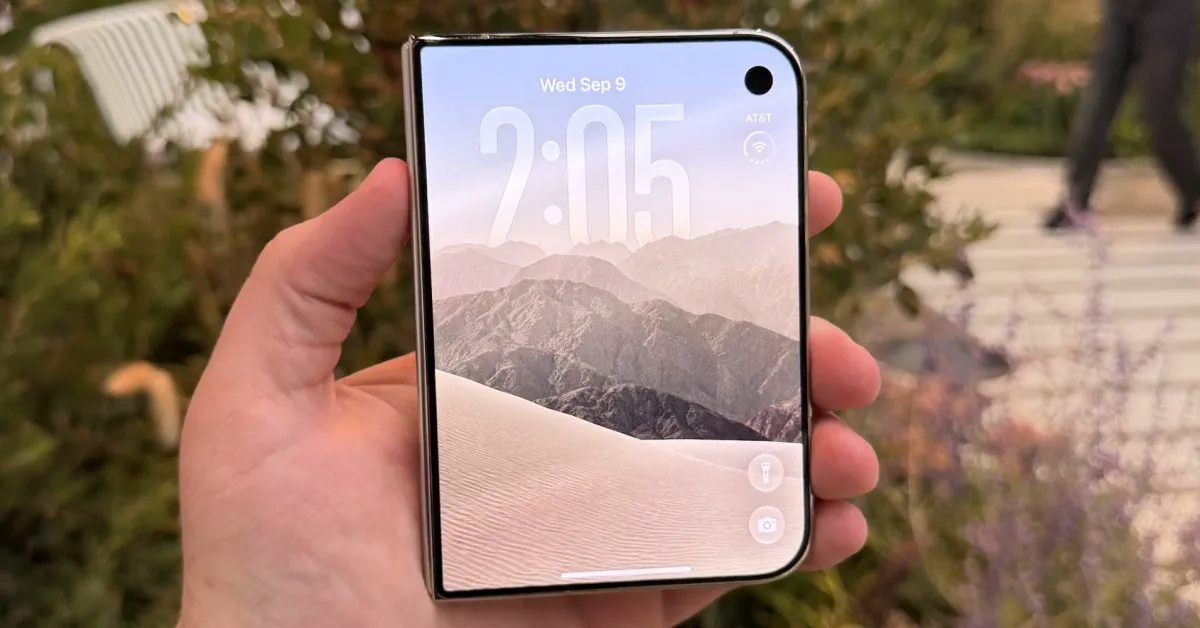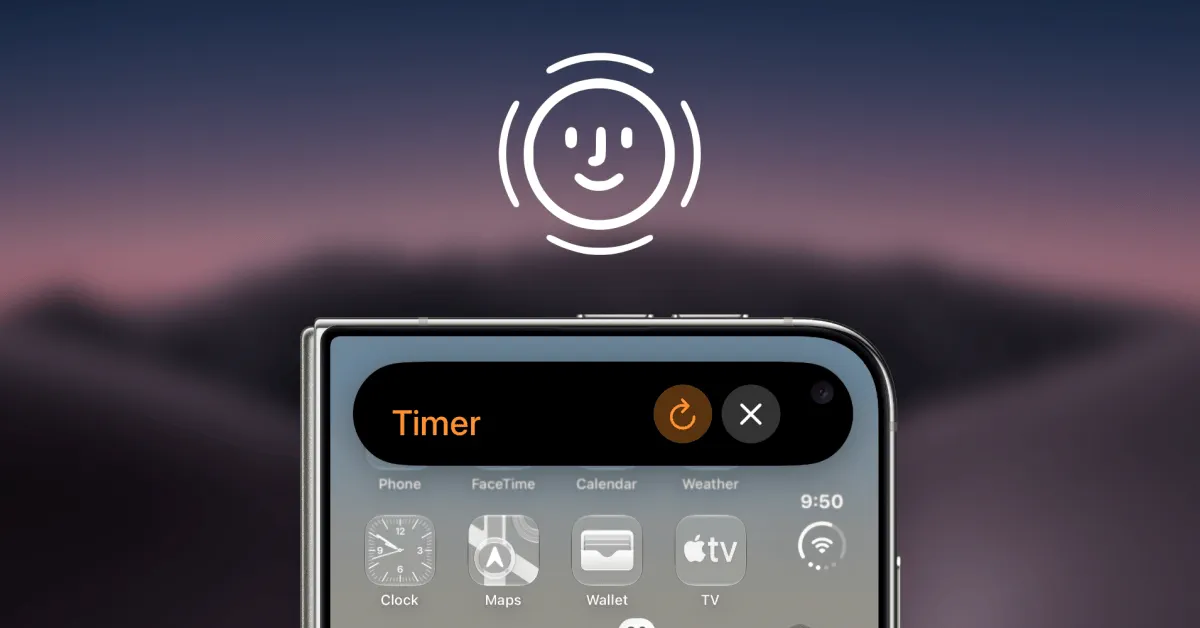
Apple has expanded one of Face ID’s most useful behavioral features to its flagship foldable phone with the release of the iOS 27.3 developer beta 2. The update equips the $1,999 iPhone Duo with Attention Aware capabilities, ensuring that alarms, timers, and incoming phone calls automatically lower their alert volume when a user glances at the exterior display.
Historically, Attention Aware features have been tied exclusively to Apple’s TrueDepth camera module, an infrared sensor array first introduced alongside the iPhone X. Because the ultra-thin form factor of the iPhone Duo forced Apple to omit the bulky TrueDepth system in favor of a capacitive Touch ID sensor on the power button, early adopters missed out on several conveniences standard on standard slab-style iPhones. The arrival of iOS 27.3 closes that gap by leveraging computer vision through the standard front selfie camera on the device's cover screen.
Attention Aware Features Arrive on iPhone Duo
Attention Aware functionality has quietly been one of iOS's most subtle conveniences since 2017. When active, iOS periodically monitors whether an owner is looking directly at the device before triggering or maintaining high-disruption alerts.
With iOS 27.3 developer beta 2, Dylan McDonald of 9to5Mac reported that Apple successfully ported these attention-sensing capabilities to the iPhone Duo without requiring dedicated 3D depth-sensing hardware. On the Duo, the system uses the exterior camera lens to detect gaze and facial orientation. Once the update is installed, the feature is turned on automatically by default.
In daily use, Attention Aware on the iPhone Duo introduces three primary conveniences:
- Audible Alert Softening: Ringing phone calls, countdown timers, and morning alarms immediately lower in volume as soon as the user looks at the outer display.
- Screen Timeout Prevention: The cover display remains illuminated and active as long as the user's eyes remain focused on the panel, overriding typical auto-lock dimming.
- Expanded Lock Screen Notifications: When paired with the update's camera-based face recognition, notifications on the lock screen automatically expand to display message contents when the owner looks at the device.
Apple has housed configuration options for this behavior under Settings → Accessibility → Face Recognition & Attention. From this pane, users can toggle the behavior on or off and enable an optional "Haptic on Successful Unlock" vibration.
Watch: Apple Just Gave the iPhone Duo a MASSIVE Upgrade! | iOS 27.3 Beta 2

Video: 9to5Mac on YouTube
How Camera-Based Detection Works on the Foldable
Unlike traditional iPhones that scan infrared dot projections across a three-dimensional plane, the iPhone Duo accomplishes attention checks and facial recognition strictly through high-resolution 2D image analysis via its front-facing sensor.
Significantly, users do not need to register for the newly introduced face unlocking system to benefit from Attention Aware features. The ambient attention check operates independently, passively determining whether a face is focused on the cover display to silence alerts.
However, the capability carries clear physical boundaries. Attention detection only functions when the iPhone Duo is folded shut and the user is interacting with the external cover screen. It cannot run across the device's expansive inner folding display, where Apple employs an under-display camera that lacks the optical fidelity and viewing angles necessary for reliable background facial scanning.
Face Unlock vs. TrueDepth: The Security Trade-Offs
Alongside Attention Aware functionality, iOS 27.3 beta 2 activates an optional "Unlock with Front Camera" mode under Settings → Touch ID & Passcode. While this gives iPhone Duo owners a Face ID-like unlocking experience, Apple has placed strict safeguards around the system due to the inherent vulnerabilities of 2D optical face matching.
Because standard camera-based facial recognition cannot generate mathematical depth maps, it does not achieve the 1-in-1,000,000 biometric spoof resistance of TrueDepth Face ID. As a result, Apple restricts its scope solely to bypassing the outer Lock Screen. High-security operations—including Apple Pay authorizations, autofilling passwords from iCloud Keychain, and unlocking protected applications—strictly require the physical Touch ID sensor or a passcode.
Furthermore, Apple has implemented a 45-minute inactivity failsafe. If the device remains locked for more than 45 minutes, camera unlock is suspended until the owner authenticates with fingerprint biometrics or enters their passcode. Apple also confirms in the operating system's settings menus that all facial recognition analysis processes strictly on-device using the Neural Engine, ensuring no camera feeds or biometric representations ever upload to cloud servers.
Feature Breakdown: iPhone Duo vs. Standard Face ID Devices
| Capability | iPhone Duo (iOS 27.3) | Standard Face ID iPhones | iPad / Mac Touch ID Devices |
|---|---|---|---|
| Underlying Biometric Sensor | 2D Cover Camera + Side Touch ID | TrueDepth 3D Structured Light | Capacitive Touch ID Sensor |
| Attention Aware Alerts | Yes (Cover display only) | Yes (System-wide) | No |
| Alarms & Calls Auto-Dimming | Yes | Yes | No |
| Display Sleep Prevention | Yes (Cover display only) | Yes | No |
| Biometric Payments (Apple Pay) | Touch ID required | Face ID supported | Touch ID supported |
| Keychain & Password Fill | Touch ID required | Face ID supported | Touch ID supported |
| Inner/Unfolded Screen Support | No (Touch ID / Passcode only) | N/A | Full display access |
| Inactivity Fallback Window | 45 minutes to Touch ID | Up to 48 hours to passcode | Variable |
How We Got Here: Folding Hurdles and Touch ID Friction
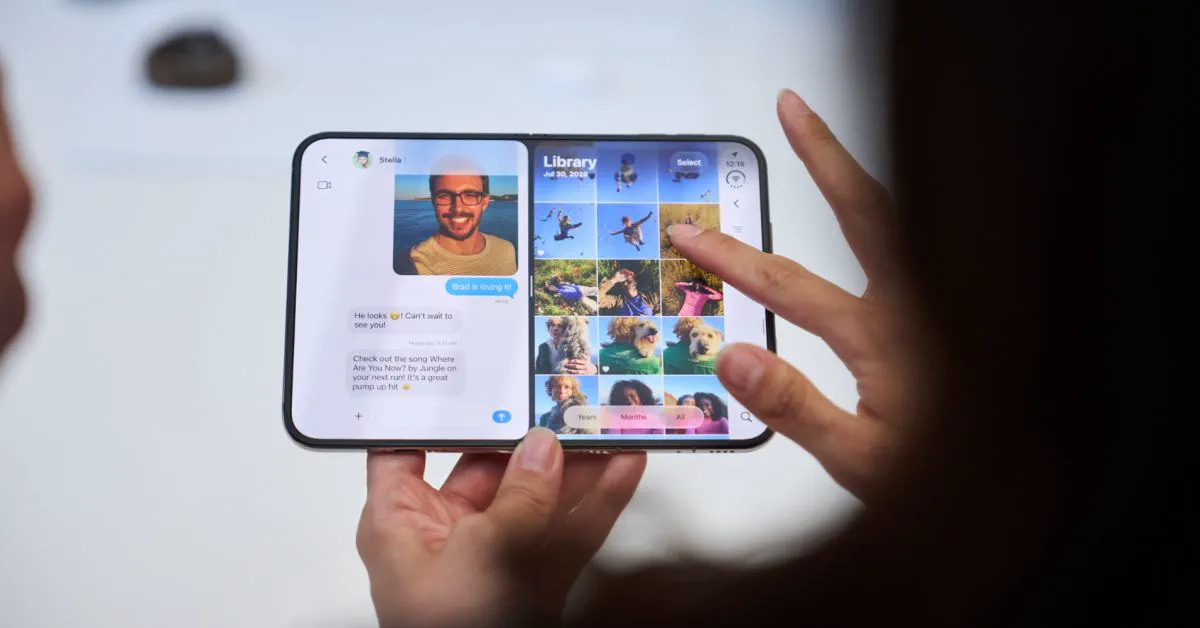
When Apple unveiled the iPhone Duo in September, it marked the company’s entrance into the book-style foldable market. Priced at $1,999, the device impressed hardware reviewers with its slim titanium hinge and ultra-thin profile. However, trimming the device down to pocketable folded dimensions created significant component packaging challenges.
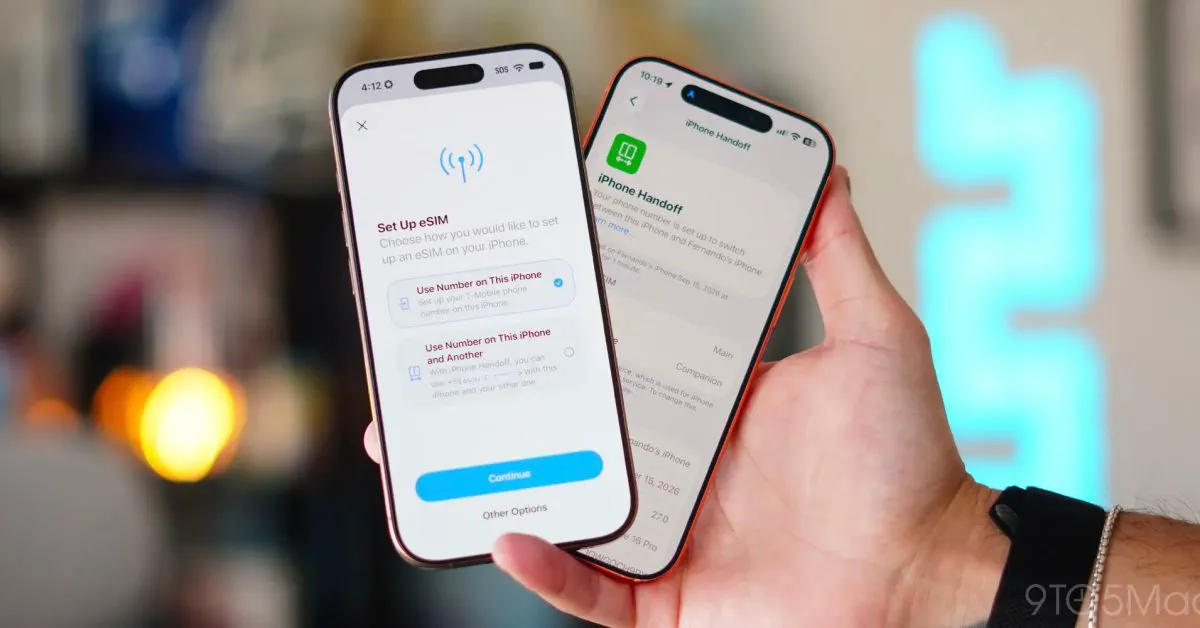
Apple could not fit the complex array of flood illuminators, dot projectors, and infrared cameras necessary for TrueDepth into either the outer cover bezel or the ultra-thin folding inner chassis. Consequently, Apple pivoted to a fingerprint reader integrated into the top lock button, mirroring the hardware design of modern iPad Air and iPad mini models.
Shortly after launch, early adopters voiced frustration over biometric usability. On traditional iPhones, looking at the display unlocks the phone and quiets alarms instantly. On the iPhone Duo, owners had to actively stretch their fingers to the physical power button every time they wanted to access the device or shut off a blaring alarm. The friction drove vocal requests across social channels and tech forums asking Apple to deliver some degree of parity through software.
More Foldable Fixes: Close-to-Lock and Horizontal Reachability
Attention management is not the only usability issue Apple addressed in iOS 27.3. The beta release includes multiple targeted fixes designed specifically around the mechanics of a dual-screen foldable:
- Lock When Closed: Previously, shutting the iPhone Duo folded inner screen immediately mirrored the active app workspace onto the outer screen. This behavior frustrated users who closed the phone intending to put it away, often resulting in accidental screen taps and battery drain. Under Settings → Display & Brightness, users can now toggle a setting that locks the device immediately upon folding it shut.
- Horizontal Reachability: Because the iPhone Duo's outer chassis is noticeably wider than a standard iPhone Pro, single-handed typing and navigation proved difficult. In iOS 27.3, swiping inward from the left or right edge shifts the outer UI toward the center of the display, making far-side interactive elements accessible to an operating thumb.
- Haptic Unlock Confirmation: Borrowing another feature from standard iPhones, Duo users can configure a tactile haptic bump to confirm when facial detection successfully clears the lock screen.
Community Reactions and Practical Advice
Reactions from early beta testers and software engineers have been widely enthusiastic, with reviewers praising Apple for solving day-to-day ergonomic complaints that felt unrefined at release. Commentators noted that while the 45-minute timeout on camera unlocking is conservative, it strikes a practical compromise between convenience and mobile security.
For existing iPhone Duo owners, these updates will alleviate common complaints about abrasive alarms and jarring morning ringtones. When the public build of iOS 27.3 lands, owners will not need to do any deep menu diving for Attention Aware improvements; the system activates automatically. However, users who prefer traditional alarm behaviors or worry about false-positive silencing can revert the changes inside Settings → Accessibility → Face Recognition & Attention.
Owners should also prepare to manually navigate to Settings → Display & Brightness to enable the "Lock when closed" toggle, as Apple keeps that specific transition feature switched off by default to maintain continuity for users accustomed to screen handover.
What Happens Next
iOS 27.3 developer beta 2 is currently restricted to registered Apple Developer accounts, with an Apple Beta Software Program public beta release expected within days. Outside of foldable-specific refinements, the update tests new Siri AI capabilities—including an "Ask About Page" tool that parses entire web pages—alongside backend management tools for Apple Intelligence tiers.
Barring unforeseen software defects or stability setbacks, Apple is scheduled to roll out the finalized public release of iOS 27.3 in December. When it arrives, iPhone Duo owners will finally reclaim the seamless alert handling and quick-glance convenience they enjoyed on standard iPhones for nearly a decade.
FAQ
Does Attention Aware on iPhone Duo require enrolling in face unlock? No, Attention Aware functions independently of camera unlock. As long as you install iOS 27.3, gaze detection for alarms, timers, and phone calls activates automatically without requiring face enrollment.
Can I use the iPhone Duo's front camera to authenticate Apple Pay purchases? No, camera-based unlocking on the iPhone Duo uses standard 2D image matching rather than secure 3D TrueDepth scanning. Authorizing Apple Pay, viewing passwords, and unlocking protected apps still require the physical Touch ID button or a passcode.
Why doesn't Attention Aware work when the iPhone Duo is unfolded? Apple restricts attention detection to the exterior cover display because the interior folding display uses an under-display camera. The optical limitations and resolution of the internal camera prevent reliable low-power gaze tracking.
Where do I adjust the new Attention Aware settings on iPhone Duo? Open the Settings app and navigate to Accessibility → Face Recognition & Attention. From there, you can turn Attention Aware features on or off and enable haptic vibration feedback for successful recognitions.
When will iOS 27.3 be available to all iPhone Duo users? iOS 27.3 is currently in developer beta testing, with a public beta arriving shortly. The official public release for all compatible devices is expected in December.