Running an artificial intelligence model locally on your own PC has quickly evolved from an obscure developer experiment into an accessible everyday tool. Thanks to streamlined, free software like Ollama and LM Studio, anyone can download open-weight models, disconnect from the internet, and prompt an AI chatbot without paying a monthly subscription fee or sending personal data to a remote cloud server. However, whether your computer delivers lightning-fast answers or grinds to an unusable halt comes down to what hardware is sitting inside your tower or laptop.
While modest machines can handle lightweight conversational tasks, approaching the reasoning power of commercial tools like ChatGPT or Claude requires specific system architecture. To understand what your computer can realistically run—and what an upgrade will cost you—you have to look beyond standard gaming benchmarks and focus on memory, bandwidth, and compute.
The Deciding Metric: Why VRAM and Memory Capacity Rule
When buying or building a PC for traditional tasks, shoppers typically focus on central processor (CPU) clock speeds or gaming frame rates. For local large language models (LLMs), however, the single most critical hardware bottleneck is raw memory capacity.
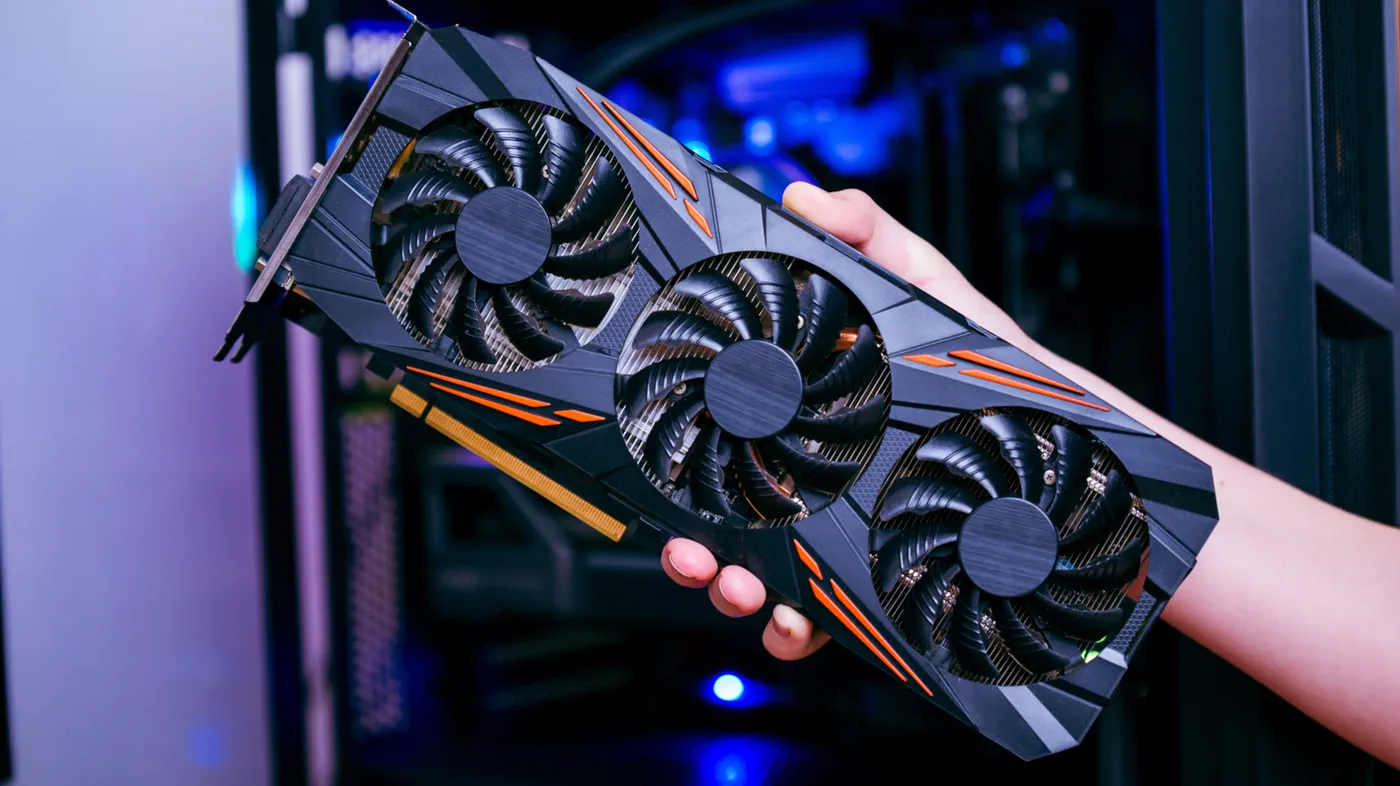
Before an AI model can generate a single word, its entire mathematical neural network—known as its weights—must be loaded into fast, active memory. If the model does not fit in memory, it will not run. On a standard Windows or Linux desktop, the gold standard is Video RAM (VRAM) physically soldered onto your dedicated graphics card (GPU).
If your GPU runs out of VRAM, software tools can "offload" remaining layers onto your system's regular DDR4 or DDR5 RAM. While this prevents system crashes, offloading causes a massive performance penalty. System RAM transfers data at a fraction of the speed of graphics memory, causing generation speeds to tumble from a smooth 40 tokens per second down to an agonizing one or two words per second.
Watch: Local AI Explained: How to Run AI Models on Your Computer

Video: Tech With Tim on YouTube
Understanding Model Sizes and the Magic of Quantization
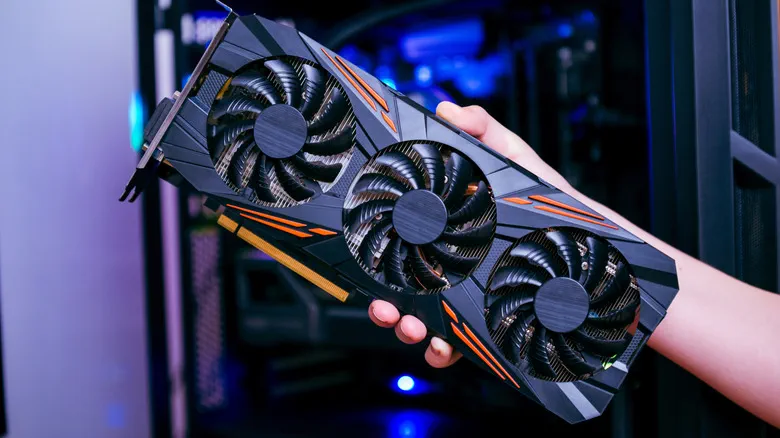 Photo: Engadget - Technology News & Expert Reviews (source)
Local AI models are categorized by parameter count, measured in billions (denoted as "B"). Parameters are the learned numerical connections within the model: a model with 8 billion parameters (8B) stores less world knowledge than one with 70 billion parameters (70B), but requires dramatically less space.
At full 16-bit precision (FP16), every parameter requires two bytes of storage. An uncompressed 8B model would require roughly 16GB of VRAM just to load, while a 70B model would demand 140GB. To make these models fit on consumer hardware, developers use quantization—a mathematical compression technique that shrinks each parameter down to 4 bits (Q4) with virtually no noticeable drop in general conversational accuracy.
In standard 4-bit format (such as Q4_K_M files used by default in Ollama and LM Studio), model footprints drop to roughly one-quarter of their original size:
- Small models (3B–4B): require roughly 2GB to 3GB of memory (e.g., Llama 3.2 3B, Phi-3 Mini).
- Mainstream models (7B–8B): require roughly 5GB to 6GB of memory (e.g., Llama 3.1 8B, Qwen3 8B).
- Mid-tier models (14B): require roughly 9GB to 10GB of memory (e.g., Microsoft Phi-4, Qwen 2.5 14B).
- Heavyweight models (27B–32B): require roughly 18GB to 22GB of memory (e.g., Gemma 3 27B, Qwen 2.5 32B).
- Flagship models (70B): require roughly 42GB to 48GB of memory (e.g., Llama 3.3 70B).
Users must also budget an additional 1GB to 3GB of memory for the working context window (KV cache), which preserves the history of long conversations and uploaded documents.
Hardware Tiers: What Your PC Can Actually Run
Because model memory requirements scale predictably, PC configurations fall into distinct capability tiers:
| Hardware Tier | Typical Specs | Capable Model Sizes (4-bit) | Real-World Examples | Expected Experience |
|---|---|---|---|---|
| Entry-Level (CPU Only) | Any modern CPU, 16GB System RAM, Integrated Graphics | 3B to 8B (CPU mode) | Llama 3.2 3B, Gemma 2 2B | Usable for writing and summarization; speeds range from 6–12 tokens/sec. |
| Budget GPU Tier | 8GB–12GB VRAM (Nvidia RTX 3060 12GB / RTX 4060) | 7B to 8B, tight 14B | Llama 3.1 8B, Mistral 7B, Qwen3 8B | Instant responses (30–60 tokens/sec); handles coding, daily chats, and document Q&A. |
| Mid-Range Workhorse | 16GB VRAM (RTX 4060 Ti 16GB / RTX 4070 Ti Super) | Up to 14B–20B MoE | Phi-4 14B, gpt-oss-20b | Comfortable headroom for large context windows and multi-turn agent tasks. |
| Enthusiast Tier | 24GB VRAM (RTX 3090, RTX 4090) | 27B to 32B | Gemma 3 27B, Qwen 2.5 32B | High reasoning fidelity, superior programming assistance, and near-frontier accuracy. |
| Prosumer / Dual-GPU | 48GB+ VRAM or Unified Memory (2x RTX 3090/4090, Mac Studio) | 70B | Llama 3.3 70B, DeepSeek 70B | True frontier-class local AI; handles complex logical proofs, large codebases, and deep analysis. |
Memory Bandwidth, GPUs, and Why CPUs and NPUs Fall Behind
 Photo: Engadget - Technology News & Expert Reviews (source)
While capacity determines whether an AI model fits, memory bandwidth determines how fast it generates text. During the token generation phase, an LLM must read through billions of parameters for every single word it outputs.
A standard desktop running dual-channel DDR5 system RAM delivers roughly 60GB/s to 80GB/s of memory bandwidth. A mid-range graphics card with GDDR6 memory easily exceeds 300GB/s, and high-end cards like the RTX 4090 surpass 1,000GB/s. Because the GPU can stream parameters into its compute cores ten to fifteen times faster than a motherboard can feed a CPU, GPU token generation feels instant and conversational.
What about dedicated Neural Processing Units (NPUs) built into newer Copilot+ PC chips from Intel, AMD, and Qualcomm? While marketed heavily for AI, consumer NPUs are rated around 40 to 50 TOPS (trillions of operations per second) and are optimized for low-power background chores like webcam background blur, live audio transcription, and image filtering. They share standard system RAM and lack the memory bandwidth required to run large, high-throughput text models at speed.
The Mac Alternative: Apple Silicon's Unified Memory Advantage
On Windows desktops, consumers hit a hard architectural wall: mainstream consumer graphics cards max out at 24GB of VRAM. Stepping up to professional enterprise GPUs like Nvidia's RTX 6000 Ada with 48GB costs well over $6,000.
Apple Silicon (M-series processors found in MacBook Pros, Mac minis, and Mac Studios) features a unified memory architecture where the CPU and GPU share the same high-speed memory pool. A Mac Studio or high-end MacBook Pro configured with 64GB, 96GB, or 128GB of unified memory can allocate up to 75% or more of that pool directly to the GPU.
While raw token generation on an Apple chip is somewhat slower than on a dedicated Nvidia desktop GPU due to fewer tensor computing cores, an Apple Silicon machine can fit an entire 70B model inside unified memory for thousands of dollars less than a multi-GPU PC workstation.
What It Costs: Upgrading Your Existing Rig vs. Building Anew
 Photo: llmconfigurator.com (source)
Getting started with local AI doesn't require an immediate shopping spree:
- The Zero-Dollar Route: If you already own a desktop or laptop built within the last four years with at least 16GB of RAM, you can test quantized 3B and 7B models on CPU mode today at zero cost.
- The $300 to $500 Budget Upgrade: For desktop owners with a spare PCIe slot and a decent power supply, picking up a used Nvidia GeForce RTX 3060 12GB (often under $250 used) or a new RTX 4060 Ti 16GB (around $450) provides an immediate leap, unlocking 8B to 14B models at full GPU speed.
- The $700 to $900 Sweet Spot: In the local AI community, a used Nvidia GeForce RTX 3090 24GB remains the consensus best value. It provides the same 24GB capacity as the $1,800+ RTX 4090, allowing you to comfortably run 32B models without compromise.
Nvidia GPUs remain strongly recommended over AMD or Intel graphics cards for local AI due to Nvidia's CUDA software ecosystem, which enjoys near-universal, plug-and-play support in open-source AI tools.
Practical Buyer’s Advice: How to Get Started Today
Before spending money on new components, install Ollama or LM Studio on your existing computer. Download a lightweight model such as Llama 3.2 3B or Mistral 7B to evaluate how your machine performs.
If you find the responses useful for drafting emails, debugging code, or analyzing private personal documents, check your task manager during generation. If your GPU VRAM is completely full and response speeds lag, target your next hardware purchase squarely around VRAM capacity first, memory bandwidth second, and clock speeds last.
FAQ
Can I run local AI on a PC without a dedicated graphics card? Yes, software like Ollama and LM Studio can run models entirely on your CPU using system RAM. While a 16GB PC can run 7B or 8B models, generation speeds will be noticeably slower (around 6 to 12 words per second) compared to running on a dedicated GPU.
Why is Nvidia recommended over AMD for local AI? Most open-source AI libraries are compiled specifically for Nvidia's CUDA architecture, offering automatic hardware acceleration and easiest setup. While AMD cards work using ROCm or Vulkan runtimes, software compatibility and driver setup require more technical troubleshooting.
How much storage drive space do AI models consume? Compressed 4-bit models range from about 2GB for a 3B model to 5GB for an 8B model, 10GB for a 14B model, and over 40GB for a 70B model. Because fast loading depends on sequential read speeds, keeping your model library on an NVMe SSD is strongly recommended.
Can an NPU on a Copilot+ PC replace a dedicated GPU for LLMs? No, current consumer NPUs lack the raw memory bandwidth and compute throughput needed to power mid-size or large language models interactively. They are primarily engineered for lightweight, low-power background functions rather than heavy text generation.