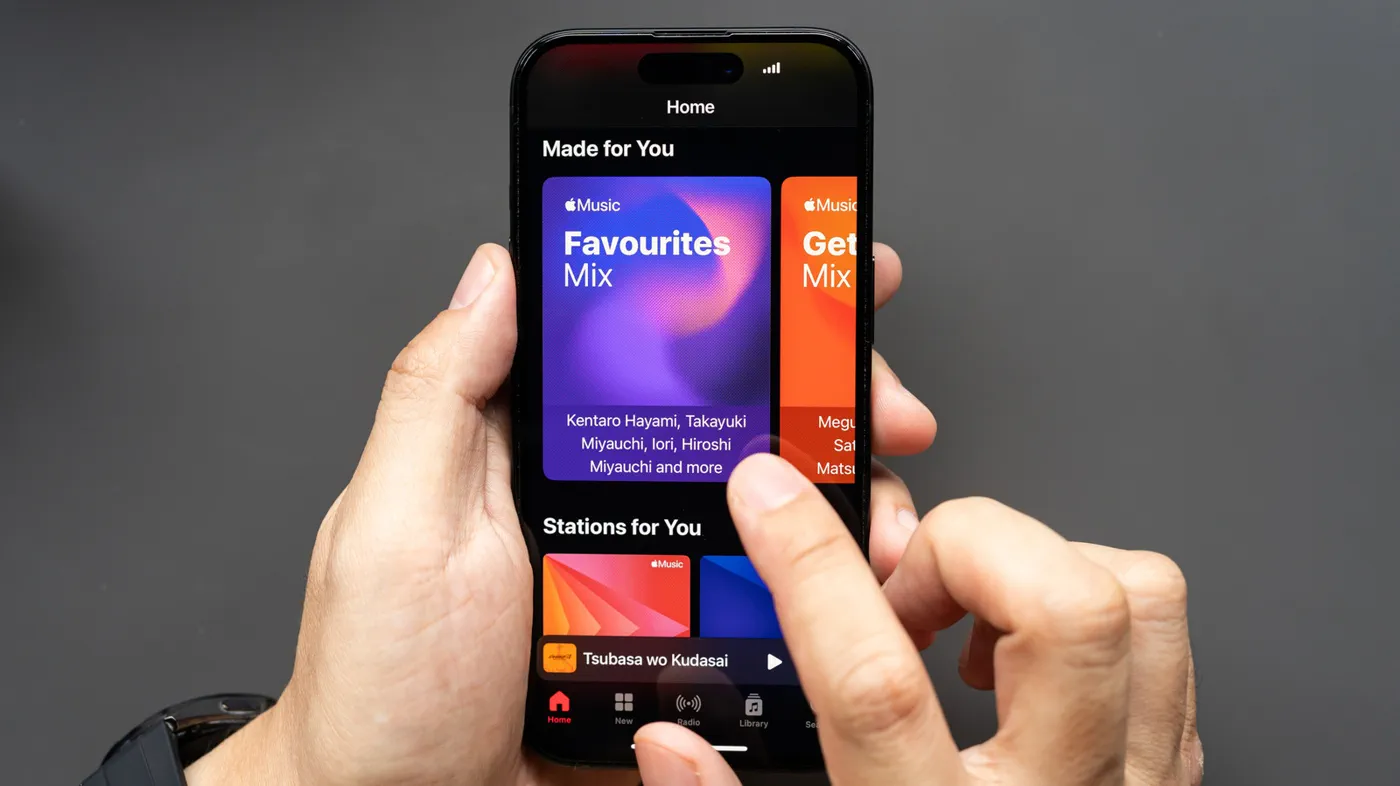
Apple Music subscribers have access to uncompressed, studio-grade audio and immersive surround formats across the service's 100-million-song catalog at no extra charge, yet many listeners are still streaming at compressed default settings. Because high-resolution playback consumes massive amounts of bandwidth and requires specific hardware, Apple leaves lossless streaming and advanced sound processing turned off or throttled out of the box, requiring users to configure their devices manually.
Whether you are listening through entry-level wireless earbuds or a dedicated desktop digital-to-analog converter (DAC), adjusting Apple Music’s playback options ensures you strike the right balance between acoustic performance, storage consumption, and cellular data usage. Here is everything you need to know to unlock the service's full fidelity on iPhone, iPad, Mac, Windows, and Android.
The Anatomy of Apple Music Audio: Formats and Tiers
Apple Music packages audio into three primary quality tiers alongside an optional spatial audio layer. Understanding the distinctions between these tiers prevents unnecessary data burn:
- High Quality (AAC 256 kbps): The default stream across all platforms. Apple's Advanced Audio Coding (AAC) implementation delivers clean, efficient stereo sound that is virtually indistinguishable from uncompressed audio on mass-market Bluetooth headphones.
- Lossless (ALAC up to 24-bit/48 kHz): Encoded in the Apple Lossless Audio Codec (ALAC), this tier preserves every bit of the original master recording. It matches or exceeds red-book CD audio (16-bit/44.1 kHz) and runs up to standard studio resolution (24-bit/48 kHz).
- Hi-Res Lossless (ALAC up to 24-bit/192 kHz): An extreme fidelity tier for serious audiophiles. It streams files up to quadruple the resolution of standard lossless, reproducing frequencies far beyond human hearing thresholds.
- Dolby Atmos / Spatial Audio: An object-based multidimensional audio format that positions instruments and vocals in a virtual 360-degree sphere around the listener rather than a standard two-channel stereo field.
Watch: How To Enable Lossless Audio For Apple Music | Easy Guide

Video: MacSafe on YouTube
Step-by-Step: Enabling Lossless Audio on iPhone and iPad
 Photo: Engadget - Technology News & Expert Reviews (source)
Unlike most streaming platforms that bury settings inside the player, iOS manages Apple Music playback through the central system settings menu.
- Open Settings on your iPhone or iPad running the latest operating system.
- Scroll down and tap Apps, then select Music (on older iOS versions, tap Music directly from the primary Settings menu).
- Tap Audio Quality and toggle the master Lossless Audio switch to On.
- Configure your individual connection settings:
Cellular Streaming: Choose between High Efficiency (HE-AAC), High Quality (AAC), or Lossless. Leaving this on High Quality protects against unexpected carrier data caps. Wi-Fi Streaming: Select Lossless or Hi-Res Lossless. Downloads: Select Lossless or Hi-Res Lossless* if you have sufficient on-device flash storage.
- Return to the main Music settings page and tap Dolby Atmos. Set it to Automatic to engage spatial mixes on compatible headphones, Always On for external systems, or Off if you prefer traditional stereo mastering.
Configuring Audio Quality on Mac, Windows, and Android
Apple Music is fully cross-platform, offering comparable audio rendering capabilities across desktop and competing mobile ecosystems.
macOS
In the Music app on a Mac, open the menu bar and select Music > Settings (or Preferences on older versions), then click the Playback tab. Check the box for Lossless audio. Use the drop-down menus to assign your preferred streaming and download quality (up to 24-bit/192 kHz).
Windows
In the native Apple Music for Windows application, click the Sidebar Actions icon (the three dots next to your profile) at the top of the sidebar and select Settings. Navigate to Playback, toggle Lossless audio on, and define your desired streaming and download resolutions.
Android
Open the Apple Music app on your Android handset, tap the More button (three vertical dots) in the upper-right corner, and select Settings. Tap Audio Quality, toggle Lossless, and choose separate quality levels for cellular, Wi-Fi, and offline downloads. Android also provides a dedicated cellular data limit warning prompt.
Bitrates, Storage, and DAC Requirements Compared
 Photo: Engadget - Technology News & Expert Reviews (source)
The following table outlines the resource consumption and hardware demands associated with each audio format available on Apple Music:
| Quality Tier | Codec & Container | Bit Depth & Sample Rate | Data Usage (Approx. 3-Min Track) | Data Usage (Approx. 1 Hour) | Required Hardware |
|---|---|---|---|---|---|
| High Efficiency | HE-AAC | Compressed variable | ~1.5 MB | ~30 MB | Any headphones or speakers |
| High Quality | AAC (256 kbps) | Compressed 16-bit/44.1 kHz | ~6 MB | ~115 MB | Any Bluetooth or wired audio |
| Lossless | ALAC | Up to 24-bit/48 kHz | ~36 MB | ~650 MB | Built-in speakers or wired output |
| Hi-Res Lossless | ALAC | Up to 24-bit/192 kHz | ~145 MB | ~2.6 GB | External USB DAC & wired headphones |
| Dolby Atmos | Spatial / E-AC-3 JOC | Variable object-based | ~12–20 MB | ~250 MB | Compatible headphones or surround receiver |
The Bluetooth Bottleneck: What AirPods Can and Cannot Play
A widespread misconception among consumers is that switching on Lossless Audio instantly upgrades the fidelity delivered to wireless earbuds like AirPods Pro or AirPods Max. In reality, standard Bluetooth cannot transmit lossless audio.
All current Bluetooth connections rely on lossy compression codecs to fit audio streams across limited radio frequencies. Apple devices transmit Bluetooth audio using standard AAC at 256 kbps, meaning that if you route a 24-bit/192 kHz Hi-Res ALAC track to your wireless AirPods, the operating system recompresses the file down to 256 kbps before it ever reaches your ears.
To hear true Lossless (24-bit/48 kHz), you must use a physical wired connection—such as the standard 3.5mm headphone jack, a USB-C to 3.5mm adapter, or powered analog monitors. To achieve Hi-Res Lossless (up to 192 kHz) on an iPhone, iPad, or PC, the device's internal audio processor is bypassed entirely, necessitating an external asynchronous USB digital-to-analog converter (DAC) paired with wired audiophile-grade headphones. The only current Apple wireless exception is ultra-low-latency proprietary 5GHz streaming between the Apple Vision Pro and select recent models like the USB-C AirPods Pro 2.
Dialing in the Sound: Equalizers, Sound Check, and Crossfade
 Photo: Engadget - Technology News & Expert Reviews (source)
Fidelity is not just about bitrates; sound profiles and volume stabilization drastically shape listening comfort.
- Equalizer (EQ): On iPhone and iPad, navigate to Settings > Apps > Music > EQ. Apple provides more than 20 presets (such as Acoustic, Bass Booster, Electronic, and Vocal Booster), though iOS still lacks a manual multi-band graphic slider. In contrast, Apple Music on macOS and Windows includes a full 10-band manual graphic equalizer accessible via the app's menu bar or sidebar, allowing listeners to construct and save custom frequency curves.
- Sound Check: Located in the same Music settings panel, Sound Check normalizes perceived volume across mixed playlists using standard loudness metering. Purists often disable Sound Check to retain original dynamic range, but enabling it prevents ear-splitting jumps when shuffling tracks from different eras.
- Transitions & Crossfade: On iOS and Mac, toggling Crossfade eliminates dead silence between tracks by blending songs together. On newer macOS builds running Apple silicon, Apple Music features AutoMix, which uses algorithmic tempo and key matching to create seamless radio-style transitions.
How Apple Music Stacks Up Against Streaming Competitors
Apple’s decision to include lossless and spatial playback in its standard $10.99/month individual subscription transformed the streaming landscape.
Market leader Spotify continues to rely on lossy Ogg Vorbis and AAC encoding capped at 320 kbps for standard users, having repeatedly delayed its promised "HiFi" lossless tier. While services like Tidal and Amazon Music Unlimited also offer comprehensive 24-bit lossless catalogs and Dolby Atmos spatial mixes at matching price points, Apple Music remains distinct for its deep operating system integration, robust local file management, and consistent metadata curation.
Best Practices: Managing Data Plans and Storage
If you listen to music primarily on wireless earbuds during your commute, turning on Hi-Res Lossless provides zero acoustic benefit while draining your cellular allotment and device storage at alarming speeds.
A sensible setup for most listeners:
- Set Cellular Streaming to High Quality.
- Set Wi-Fi Streaming to Lossless.
- Keep Downloads set to High Quality unless you have 256 GB or more of local device storage.
- Keep Dolby Atmos on Automatic to enjoy immersive mixes when wearing compatible gear, while preserving pristine two-channel stereo on standard hi-fi systems.
FAQ
Can AirPods stream Apple Music in Lossless quality? No. Current AirPods models connect over standard Bluetooth, which relies on lossy AAC compression capped at 256 kbps. True lossless playback requires a wired connection to headphones or external powered speakers.
Why does my downloaded music still play in standard quality after I enabled Lossless? Enabling lossless does not automatically upgrade previously downloaded tracks. To listen in lossless offline, you must delete the existing downloads from your library and re-download them while lossless settings are active.
What hardware is required to listen to Hi-Res Lossless? Hi-Res Lossless (up to 24-bit/192 kHz) requires an external digital-to-analog converter (DAC) connected via Lightning or USB-C, alongside high-performance wired headphones. Most built-in smartphone and computer audio converters cap output at 24-bit/48 kHz.
Does using an Equalizer (EQ) preset reduce audio resolution? EQ presets do not reduce bit depth or sample rate, but they alter the frequency balance of the track. If you want to hear music precisely as the mastering engineer intended, leave the EQ setting turned off.
Does Dolby Atmos consume more data than standard stereo? Yes. Dolby Atmos tracks contain multiple spatial audio channels and metadata, resulting in larger file sizes than standard compressed stereo tracks, though they generally consume less data than full uncompressed Hi-Res Lossless files.